Subdomain Examples Explain How Services Share a Domain
Understand www, blog, app, and other subdomains, then plan DNS records, hosting, certificates, and service ownership before adding a hostname.

- domains
- dns
- guide
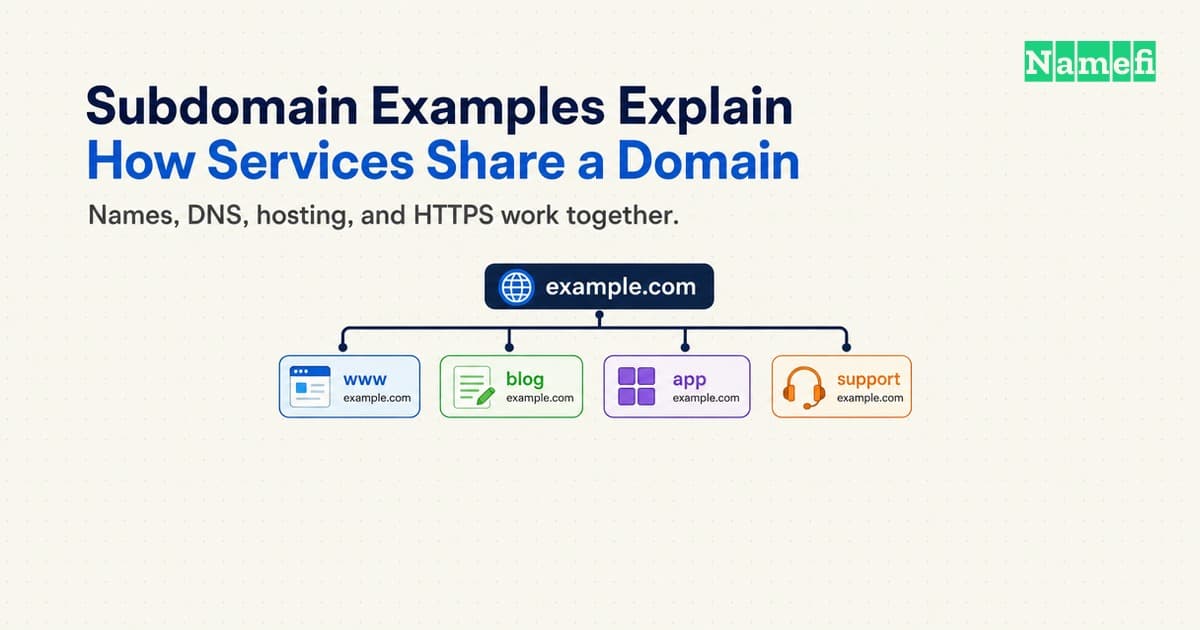
A subdomain adds a name beneath another domain. In blog.example.com, blog identifies a subdomain of example.com. Familiar examples include www, shop, app, and support.
Yes, www.example.com is a subdomain of example.com. The name example.com itself is the parent domain in this example.
The label suggests a purpose, but the label does not create a website. A working subdomain needs the right DNS records, a configured service, and an appropriate HTTPS certificate.
Use subdomains when separate services need separate hostnames. Use a path when one application can manage the content comfortably. Plan the operational responsibilities before choosing a URL structure.
Subdomain names show a hierarchy rather than a page path
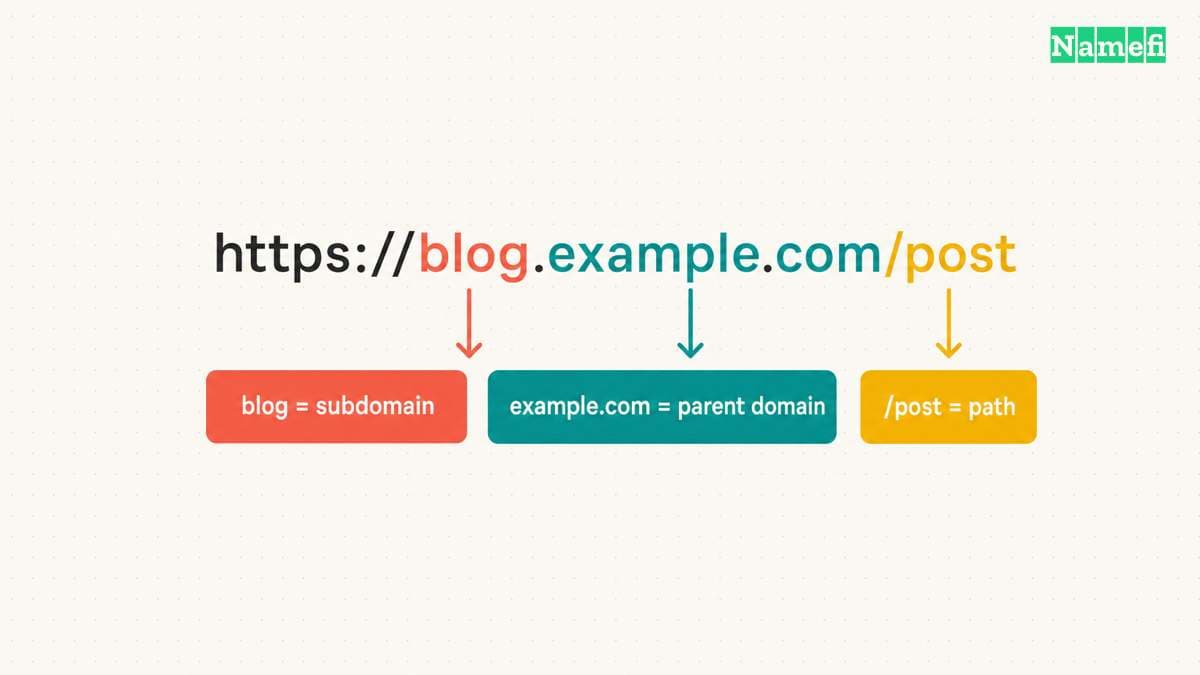
Read DNS names from the containing domain toward the more specific name. In status.example.com, status sits beneath example.com. In api.eu.example.com, api.eu.example.com also sits beneath eu.example.com.
The DNS terminology standard defines the subdomain relationship through complete labels. A matching character sequence alone does not establish that relationship. For example, notexample.com does not become a subdomain of example.com.
A page path begins after the hostname. In https://example.com/blog/article, /blog/article is a path. In https://blog.example.com/article, blog.example.com is the hostname and /article is the path.
The distinction matters because DNS handles names rather than application paths. You cannot create a DNS record for /blog. Your web application or hosting configuration handles that path.
For https://blog.example.com/post, separate the address into these parts:
| Part | Value | Role |
|---|---|---|
| Scheme | https | The browser uses HTTPS |
| Hostname | blog.example.com | DNS identifies the named host |
| Subdomain label | blog | The label sits beneath example.com |
| Parent domain | example.com | The domain contains blog.example.com |
| Path | /post | The application selects the resource |
The following examples describe hypothetical services. The labels do not require a specific product or hosting provider.
| Address | Common intended use | Operational question |
|---|---|---|
www.example.com | Main public website | Does the bare domain redirect or serve the same site? |
blog.example.com | Publishing service | Who manages the publishing application? |
shop.example.com | Storefront | Which platform accepts the hostname? |
app.example.com | Customer application | Which login and cookie rules apply? |
support.example.com | Help center | Can the help-center provider verify the hostname? |
status.example.com | Service status page | Can the status page remain reachable during an outage? |
api.example.com | Application interface | Which clients and certificates depend on the hostname? |
staging.example.com | Test environment | Which access controls prevent unintended public access? |
Treat each row as a naming convention, rather than a technical guarantee. Calling a hostname secure does not secure the service. Calling a hostname staging does not keep visitors or search engines away.
Some registered domains contain several labels before you add a subdomain. Do not assume every registered domain consists of exactly two labels. Start with the domain your registrar actually manages, then add the service label beneath that domain.
A trailing dot can make an absolute DNS name explicit, as in blog.example.com.. Our fully qualified domain name guide explains the distinction between an absolute name and a name interpreted relative to a DNS zone.
A familiar label does not prove who controls the address
Read the complete hostname before trusting a link. In https://example.com.attacker.example/login, the hostname ends in attacker.example. The earlier example.com labels do not place the address beneath example.com. The whole-label rule in RFC 9499 explains this distinction.
The same rule applies to familiar labels. An address beginning with support or secure does not establish the operator's identity.
Useful subdomains separate services with clear responsibilities
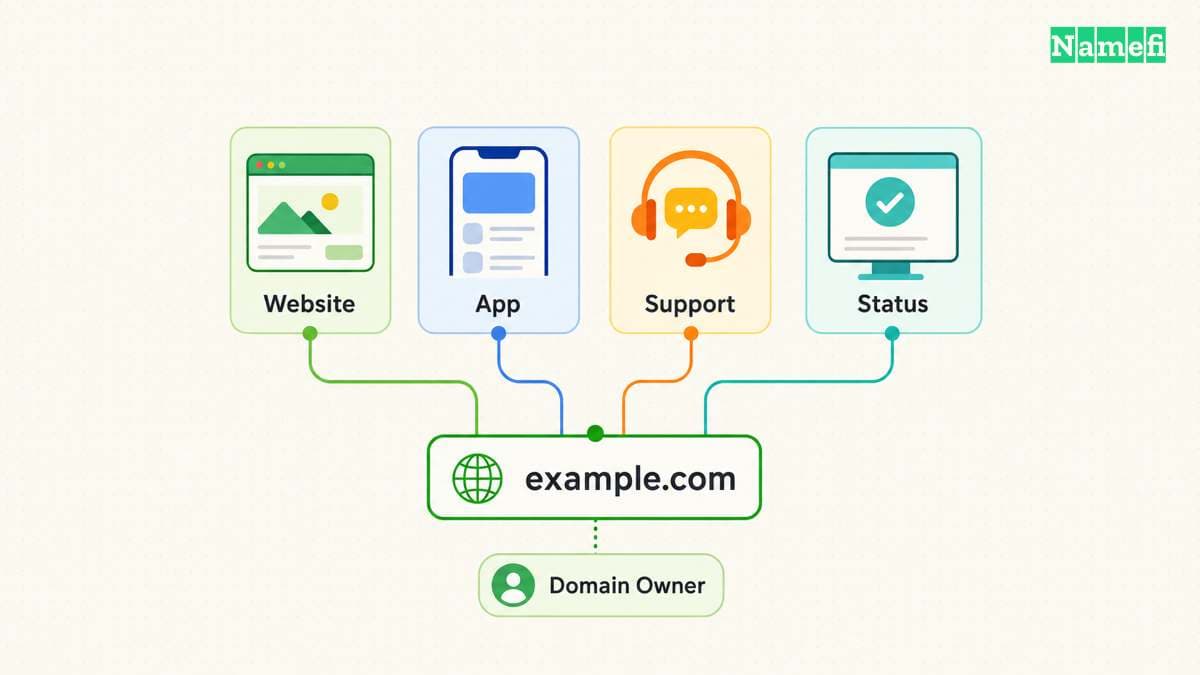
A subdomain can help a team use a dedicated platform without moving the main website. A hypothetical company might keep its marketing pages at www.example.com and place a hosted help center at support.example.com.
Start with the service boundary. Ask whether the service needs a different provider, deployment schedule, access policy, or operational owner. A separate hostname can support those choices, but a separate hostname also adds configuration to maintain.
For a small website, a path can be easier to manage. A hypothetical documentation area at example.com/docs can share one application and publishing workflow. A separate documentation platform might justify docs.example.com instead.
Avoid choosing a subdomain solely because a label sounds professional. List the work that the choice creates: DNS configuration, domain verification, HTTPS, redirects, monitoring, analytics, and retirement. Assign a person or team to each task.
Use a simple decision checklist:
- Keep one hostname when one application meets the need.
- Consider a subdomain when a service needs a separate host.
- Confirm that the destination platform supports your chosen hostname.
- Give every public hostname an operational owner.
- Record the intended audience and access requirements.
- Define the redirect or migration plan before launch.
A status page deserves particular thought. If the status page depends on the same application that reports an outage, the status page may fail alongside the application. Evaluate that dependency before choosing the hostname or provider.
A staging environment needs explicit access decisions. A hard-to-guess label does not replace authentication. Keep private test data out of a publicly reachable environment, and make access restrictions part of the deployment checklist.
Do not assume a subdomain creates complete security isolation. Browser and application settings still matter. MDN explains that a cookie with a Domain attribute can reach subdomains. Review cookie scope when services share a parent domain.
For a hypothetical customer application and marketing site, ask the application owner whether session cookies require host-only scope. Check actual response headers and application requirements. Do not copy a broad cookie setting simply to make a login problem disappear.
A provider subdomain differs from a domain you register
A hosted platform can supply an address beneath the platform's domain. For example, GitHub Pages uses <owner>.github.io for user and organization sites. Project sites normally add /<repositoryname>. GitHub documents these default locations and offers Pages for public repositories with GitHub Free.
A provider address does not give you control of the provider's parent domain. Check naming restrictions, account rules, export options, and custom-domain support before choosing a free subdomain. Hosting charges and domain registration charges describe different services.
A working subdomain needs DNS and an accepting destination
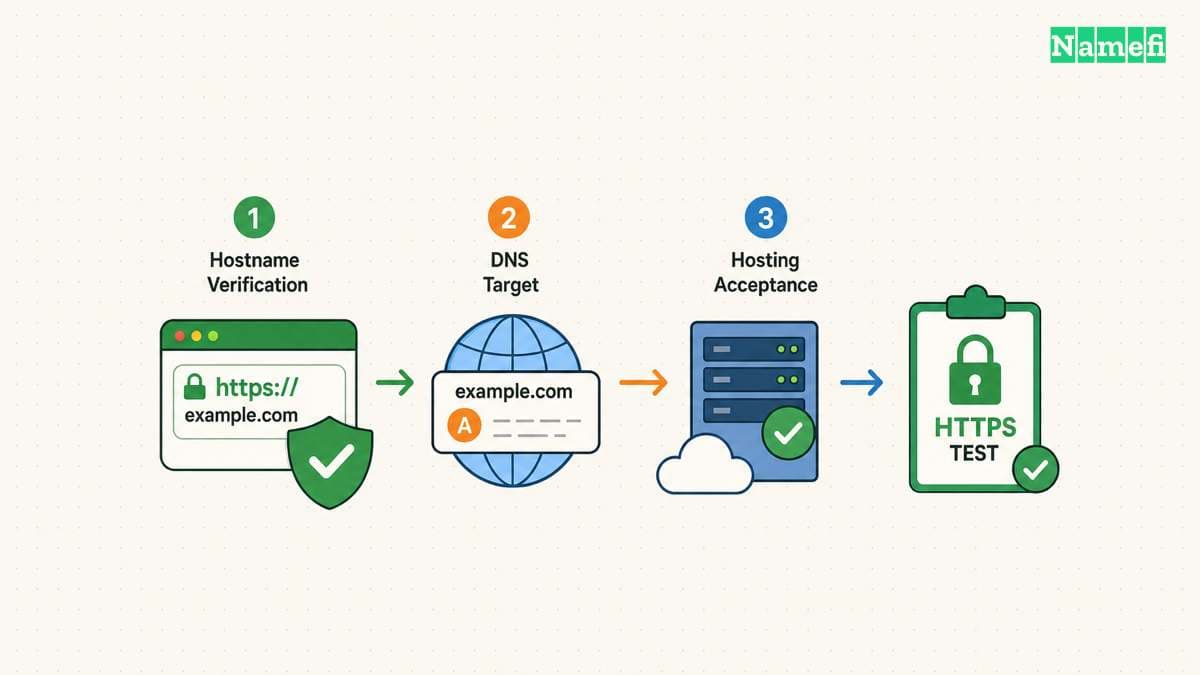
Adding a DNS record provides a route toward a service. The destination must also recognize the hostname. Cloudflare's subdomain setup guidance explicitly starts with a hosting provider that can serve the chosen name.
Obtain the destination details from your hosting provider's current instructions. Cloudflare's record instructions distinguish three common targets:
| Provider supplies | Record type | Illustrative target |
|---|---|---|
| IPv4 address | A | 192.0.2.1 |
| IPv6 address | AAAA | 2001:db8::1 |
| Another hostname | CNAME | customer.publisher.example |
The addresses and hostnames above are documentation examples. Copy the actual destination from your provider. Do not add all three records merely because the table lists three options.
Use the record type that the platform requests. Our CNAME and A record comparison explains the different targets. Do not paste a full URL, including https:// and a page path, into a field that expects a DNS hostname.
For a hypothetical publishing service, the provider might request blog.example.com as a CNAME pointing to customer.publisher.example. The second hostname is an illustrative placeholder, rather than a real platform setting. Obtain the real target from the provider.
Check how your DNS interface handles names. Some interfaces expect only blog. Other interfaces accept blog.example.com. Inspect the saved record to avoid accidentally creating blog.example.com.example.com.
A practical setup sequence separates the tasks:
- Add the hostname to the destination service.
- Complete the provider's ownership-verification step.
- Copy the required DNS record exactly.
- Inspect the saved record name and target.
- Query the authoritative DNS service.
- Test the hostname through a recursive resolver.
- Open the exact HTTPS address.
- Check a real page and any redirect.
A successful DNS query does not prove that the application works. The destination may show a default page, reject an unknown hostname, or wait for verification. Preserve the returned error before changing unrelated records.
DNS also does not create an HTTP redirect. A CNAME can make one name an alias of another DNS name, but the browser still requests the original hostname. Configure redirects at the hosting, application, or supported edge-service layer.
If you need several record types, review our DNS record guide before making changes. Keep mail, verification, and application records intact. A new website subdomain rarely justifies deleting the domain's entire DNS zone.
Your DNS account gives you the starting inventory
To find subdomains you operate, inspect your DNS provider's record list or zone export first. Include delegated child zones and custom-domain settings in hosting accounts. A lookup for one hostname answers a question about that hostname, rather than listing every sibling.
For an address you already know, run dig blog.example.com A. Replace the illustrative hostname with your hostname. Query the record type your service uses. ISC documents dig queries and record-type selection.
Keep discovery separate from availability. A failed lookup does not establish that you can register the parent domain or claim a provider account.
Certificates and retirement complete the subdomain lifecycle
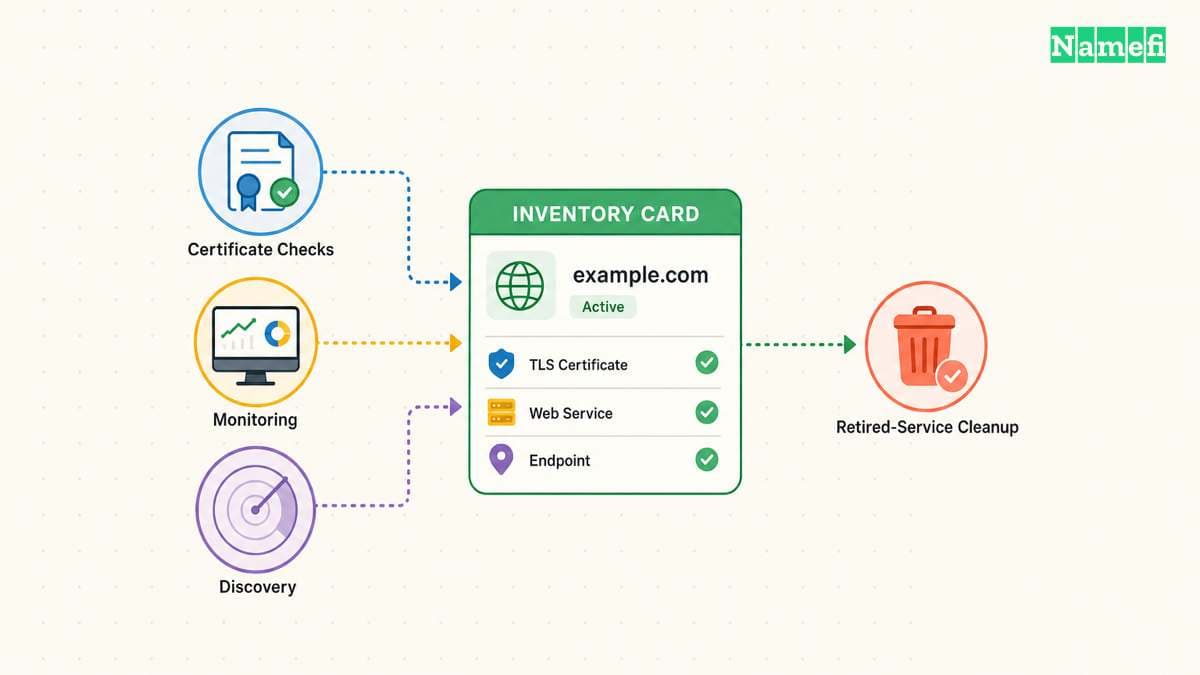
HTTPS coverage requires a separate check from DNS resolution. Open the exact hostname that visitors will use and inspect any certificate warning. A working parent-domain certificate does not establish coverage for every deeper hostname.
Provider details can vary with configuration. Cloudflare documents that its Universal SSL full setup covers the apex and first-level subdomains. The same documentation distinguishes deeper names and other setup types. Do not extend one provider's default coverage to all services.
For example, app.example.com and test.app.example.com have different depths. Ask the certificate provider about the exact hostname before launch. A wildcard pattern should not become a blanket promise about an entire hierarchy.
If many hostnames need similar routing, inspect wildcard DNS behavior carefully. Wildcard records and wildcard certificates solve different problems. Neither setting automatically configures an application to accept every possible hostname.
After launch, keep a hostname inventory with practical fields:
| Inventory field | Reason to record the field |
|---|---|
| Complete hostname | Operators can identify the exact service |
| Service owner | Someone can approve and repair changes |
| DNS record and target | Operators can compare the intended route |
| Hosting account | Operators can locate the accepting application |
| Certificate method | Operators can check coverage and renewal |
| Retirement action | Operators can remove unused dependencies |
Retire a hostname when the service ends. Remove obsolete DNS records and complete the provider's custom-domain removal process in the documented order. Microsoft describes subdomain takeover from a dangling DNS record. In Microsoft's Azure example, a CNAME outlives the deleted service, and another account can claim the service name. Follow the receiving provider's retirement instructions before releasing a resource name.
Before removing a record, inspect dependencies. Email links, API clients, bookmarks, monitoring checks, and old documents may still reference the hostname. Decide whether a supported redirect can preserve the user journey.
A hypothetical support migration might keep support.example.com while changing the underlying platform. The public hostname stays stable, but the team still needs fresh verification, DNS checks, certificate checks, and page tests.
If the migration also changes the hostname, test both addresses. Verify the destination content rather than stopping at a successful response code. A redirect to an unrelated home page can still break a visitor's intended task.
Choose subdomains for a clear operational reason. Create the required DNS record, configure the receiving service, verify HTTPS, and maintain an owner. The short label becomes useful only when the complete service works.
These sources support the article
Sources checked on October 21, 2026. All service names and setup targets in the examples are hypothetical.
-
RFC 9499, section 2. The standard defines the subdomain relationship through whole labels.
-
Cloudflare: Create subdomain records. The guide separates destination support, DNS records, redirects, and HTTPS.
-
Cloudflare: Universal SSL limitations. Coverage depends on hostname depth and setup type.
-
MDN: Define where cookies are sent. The guide explains cookie domain scope.
-
GitHub: What is GitHub Pages?. Default provider hostnames and plan availability. Fetched October 21, 2026.
-
ISC BIND 9: dig. DNS lookup syntax and record-type selection. Fetched October 21, 2026.
-
Microsoft: Prevent dangling DNS entries. The Azure example explains the retirement risk. Fetched October 21, 2026.
About the author(s)
Namefi is a collective of engineers, designers, and operators who obsess over building tools that make managing your onchain domain names effortless.