Domain and Hosting: What You Need to Buy and What You Can Skip
Choose the domain, website hosting, DNS, and email services your project needs, avoid duplicate purchases, and connect separate providers safely.

- domains
- guide

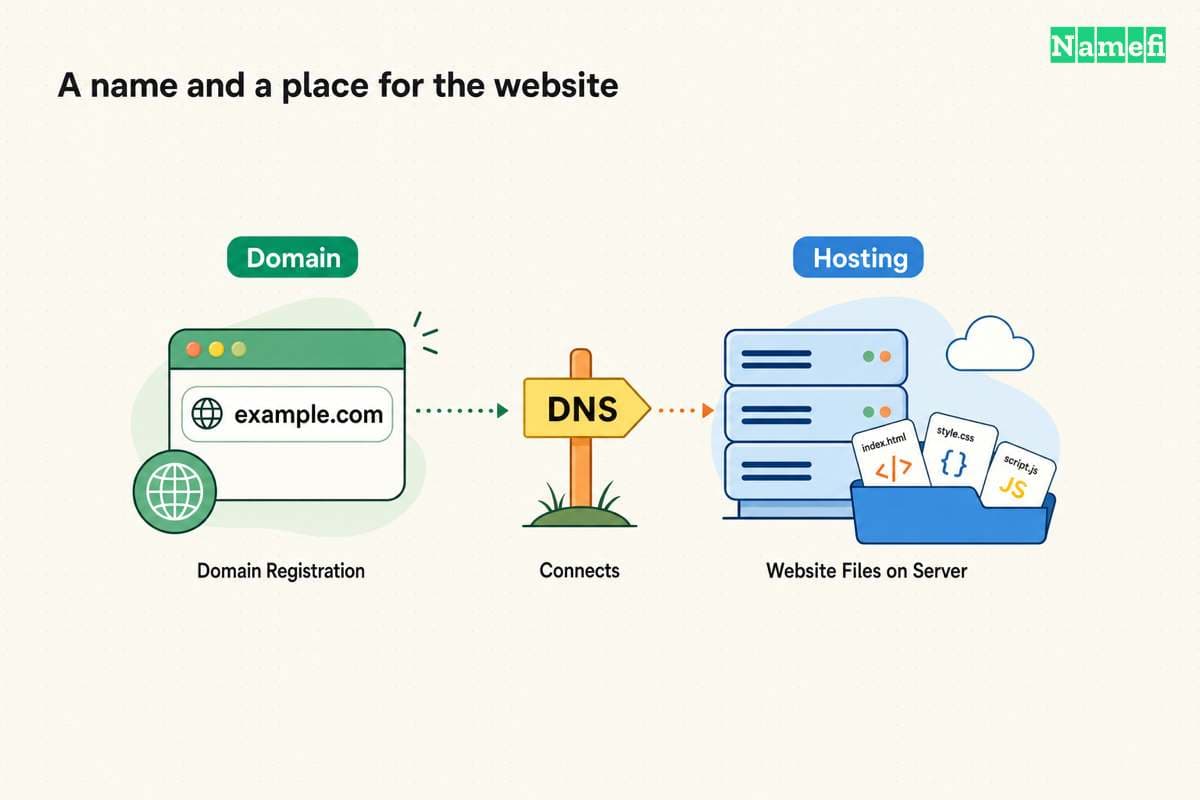
For a website on your own domain, you need a registered domain and a service that hosts the website. If your website builder already includes hosting, you may only need to register or connect the domain. Domain registration alone does not create a website or mailbox. ICANN explains that additional services provide those functions.
The useful buying question is therefore specific: which required job does your current account already cover? Separate registration, website hosting, DNS, and email before comparing bundles. That small inventory can prevent duplicate subscriptions and accidental cancellation of a service the project still needs.
Four service roles explain most purchasing decisions
| Service | Job | Evidence to find in the account |
|---|---|---|
| Domain registration | Maintain the registration for the chosen name | Registrant details, expiration, renewal, and nameservers |
| Website hosting | Deliver the site's pages and application | Published project, deployment, or website files |
| Authoritative DNS | Publish records for the domain | Active zone and record editor |
| Email hosting | Provide mailboxes and mail service | Mailbox users and provider setup instructions |
A provider can bundle several roles. The roles still need separate owners and renewal decisions. ICANN explicitly distinguishes a domain from the website and from the services that make the domain useful. Its domain basics page establishes that distinction.
Website hosting can serve static files or run software that generates pages. MDN describes both static and dynamic web servers. Its explanation shows why hosting does not always look like a file-upload account.
As practical advice, list the product name and responsible account beside each role. “The agency handles everything” is not enough information for renewal, an outage, or a future handover.
The project type determines what you can skip
If you need only a domain-based email address, start with registration, DNS, and the email provider's requirements. Do not add website hosting unless you also intend to publish a website. Check the email plan rather than assuming the domain purchase includes mailboxes.
If you use a hosted website builder, inspect the chosen plan's custom-domain capability and hosting terms. The builder may perform the website-hosting job already. A second generic hosting plan would need a separate purpose.
If you have static website files, identify a host that can serve those files and connect a custom domain. If the site needs an application server or database, identify those requirements before choosing a static-only product. MDN describes the additional software in a dynamic server.
If you are reserving a name for later, decide whether any live service is necessary now. Registration can remain a separate purchase. Avoid converting a future idea into a collection of recurring subscriptions without a present task for each subscription.
These scenarios are purchasing advice. Check the selected provider's actual plan before deciding that a feature is included, free, or unnecessary. This article does not compare live plan prices.
A bundle should explain control and renewal separately
A bundled offer can suit a simple project. Before paying, check the domain registrant, account owner, initial term, renewal quote, and conditions for keeping the domain after canceling hosting.
Ask whether the offer includes the exact domain you want or only eligible new registrations. Also ask whether the bundle covers the website service, email, and HTTPS for the required names. Record the answer from the provider's current terms.
Registration and hosting bills can renew on different schedules. Keep each renewal in the project inventory. The domain cost guide explains why a first registration price does not establish the ongoing domain cost.
Separate providers can also make sense when different services meet different requirements. The tradeoff is administrative: record where each setting belongs and who can access each account. Avoid making the domain dependent on one person's memory.
Connecting the domain starts with the host's exact instructions
Publish the website at the host before changing public DNS when the provider supports that sequence. Add the custom domain inside the intended project. Then copy the provider's requested DNS record names and values.
An A record supplies an IPv4 address. A CNAME makes one name an alias of another name. The address format and alias behavior explain why those values are different. The host decides which supported record your configuration needs.
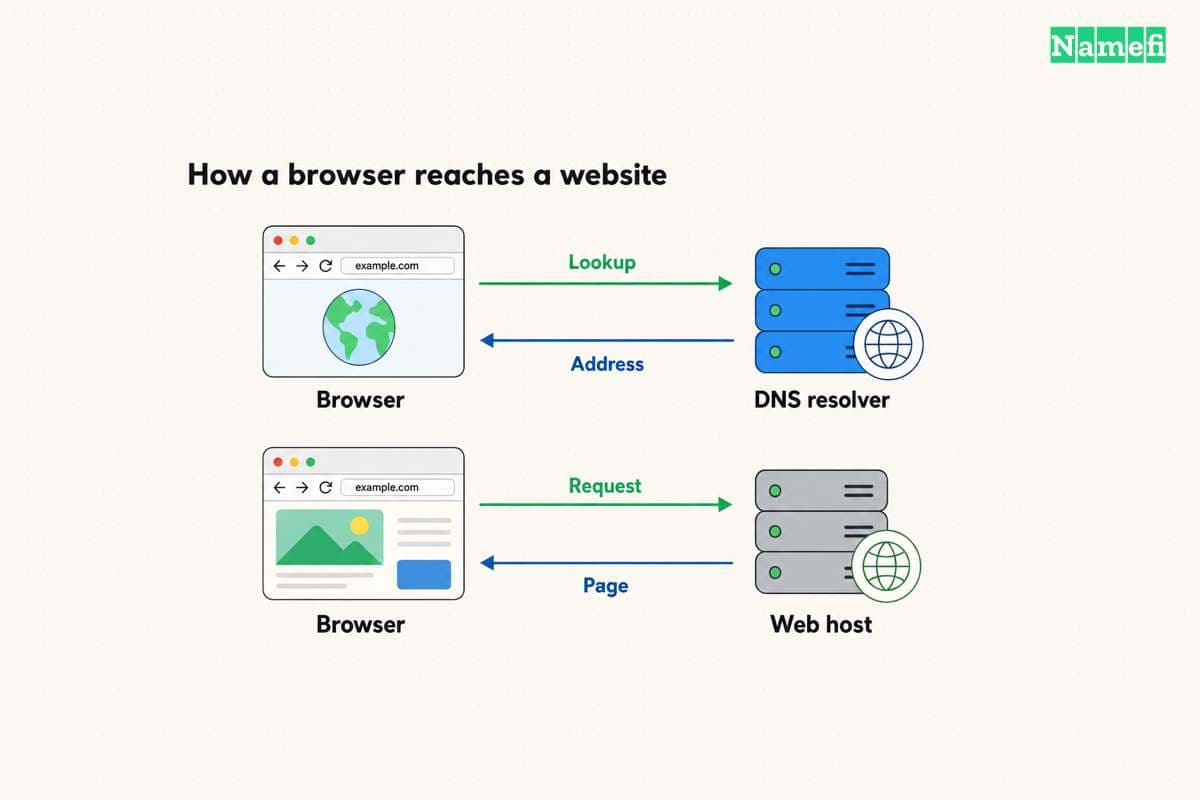
Make changes at the current authoritative DNS service. The registrar and DNS provider can be different companies. Opening the registrar's record editor does not prove that editor controls the active zone.
If the host asks for a nameserver change, prepare a broader DNS migration. Copy existing mail and verification records to the replacement DNS service before changing delegation. A nameserver change affects the zone's records, rather than only the website's address.
The CNAME and A record guide explains record selection. The nameserver change guide covers the delegation decision. Choose the procedure that matches the host's supported setup.
Website and email checks need separate results
After publishing the records, test the exact website addresses people will use. Check the apex and www names if both matter. Confirm that HTTPS works and that the intended project serves the page.
Then test email independently. Send a message from an outside account and confirm that the expected mailbox receives the message. If the project sends mail, test that path too. A working website does not prove that mail routing survived a DNS change.
When a recent change looks inconsistent, compare public DNS answers with the intended configuration. A browser cache and a DNS cache can complicate observations. Use the DNS propagation guide to identify the actual waiting condition.
Keep the old hosting account until the replacement service and data checks finish. Before canceling, check whether the old account still provides email or authoritative DNS. Cancellation should follow the inventory, rather than an assumption that all services moved together.
Your next action is to make the four-role inventory. Buy only the missing required service, connect the domain through the host's documented route, and verify website and email separately. The inventory then becomes the project's renewal and handover record.
Use Namefi's DNS lookup to inspect the exact website or mail-routing record supplied by the provider. Keep the hostname, type, selected resolver, and observation time with the result. Then perform the separate website and email tests described above.
Sources and further reading
ICANN distinguishes registration from hosting
ICANN distinguishes registration from hosting. Checked 2026-10-30.
MDN explains web server responsibilities
MDN explains web server responsibilities. Checked 2026-10-30.
RFC 1035 defines address records
RFC 1035 defines address records. Checked 2026-10-30.
RFC 1034 defines canonical aliases
RFC 1034 defines canonical aliases. Checked 2026-10-30.
About the author(s)
Fenwei Bian is a software developer in her thirties who spends her working hours in pull requests and her weekends with her hands in soil or sawdust. Years of open source on GitHub taught her that names are interfaces: a good one is clear, honest about what it does, and kind to whoever has to use it next.
She gardens because it rewards patience and punishes wishful thinking, and she does woodwork because a joint either fits or it doesn't. Both habits show up in how she writes about naming — measure twice, check the source, and don't sand over a rough spot and hope no one notices.
For Namefi she writes about how domain markets actually move, the practical trade-offs of tokenizing and flipping names, and picking a domain you'll still be glad you own in twenty years.