IP WHOIS Lookup: Find the Network Behind an IP Address
Find the network registration and abuse contact for an IP address. Separate address allocation from website ownership and geolocation.

- domains
- guide
An IP WHOIS lookup identifies the registered network associated with an IP address. Start with ARIN’s search documentation, then use the linked search interface. Enter an address, review the network range, and inspect the organization and contact roles. ARIN supports both IPv4 and IPv6 searches. ARIN explains the lookup process.
The result answers a registration question. Treat a claim about the person operating a website as a separate question. A hosting company, network operator, customer, and website publisher can represent different parties.
The address determines the right lookup
Use an IP address when investigating a network connection or an address from a server log. Use a domain registration lookup when investigating a registered domain. A URL path, email address, and domain name are not interchangeable search inputs.
For example, 192.0.2.10 is a documentation address used here only to explain the workflow. RFC 5737 reserves the example block. Do not expect the example to identify a real hosting customer. For an actual investigation, copy the exact address from the relevant event. Record the event time and timezone before searching.
ARIN provides access to registration information through RDAP as well as its older services. RDAP returns structured data and can obtain information about resources managed by other registries. ARIN describes those services.
A practical lookup process follows these steps:
- Copy the IP address without the URL scheme, port, or path.
- Open the registry search interface from the official ARIN documentation.
- Enter the complete address.
- Read the returned network and organization information.
- Open linked records when the response identifies another registry or organization.
- Save the relevant result and the lookup time.
An IPv6 address can contain colons. Avoid splitting an IPv6 address as though the final colon always introduces a port. Obtain the address from a log field or interface that labels the address separately.
The network range gives the result its scope
Read the address range before reading the organization name. The range tells the reader which registration covers the searched address. A network record can describe a larger allocation rather than a single server.
ARIN distinguishes network information from related organization and point-of-contact information. The contact record includes roles such as technical, administrative, abuse, and network operations. ARIN documents the record structure.
Use the roles to choose the next action. A technical contact concerns network administration. An abuse contact concerns reports such as malicious traffic. A registration contact does not automatically provide customer support for a website hosted somewhere within the range.
As editorial guidance, keep a short evidence note:
| Field | Why the field matters |
|---|---|
| Searched address | Identifies the exact input |
| Event time and timezone | Connects the search to the observed event |
| Network range | Defines the registration scope |
| Source registry | Identifies the registration authority |
| Organization | Names the registered organization |
| Contact role | Helps route the next request |
A copied organization name without the network range can hide important context. Save enough information for another administrator to repeat the search.
A proxy can separate the public address from the origin
A website can publish an address belonging to a reverse proxy rather than the origin server. Cloudflare explains that proxied records return Cloudflare IP addresses instead of the origin address. Cloudflare documents that distinction.
Consequently, an IP registration result naming Cloudflare can establish the public network role without identifying the origin hosting account. Do not label the result “the website owner” or use the network contact as proof of the publisher’s identity.
Shared infrastructure creates a similar interpretation problem. An address can be useful evidence about the network while remaining insufficient evidence about a particular customer. Keep the final finding narrow: “The registry associates this address range with this organization.”
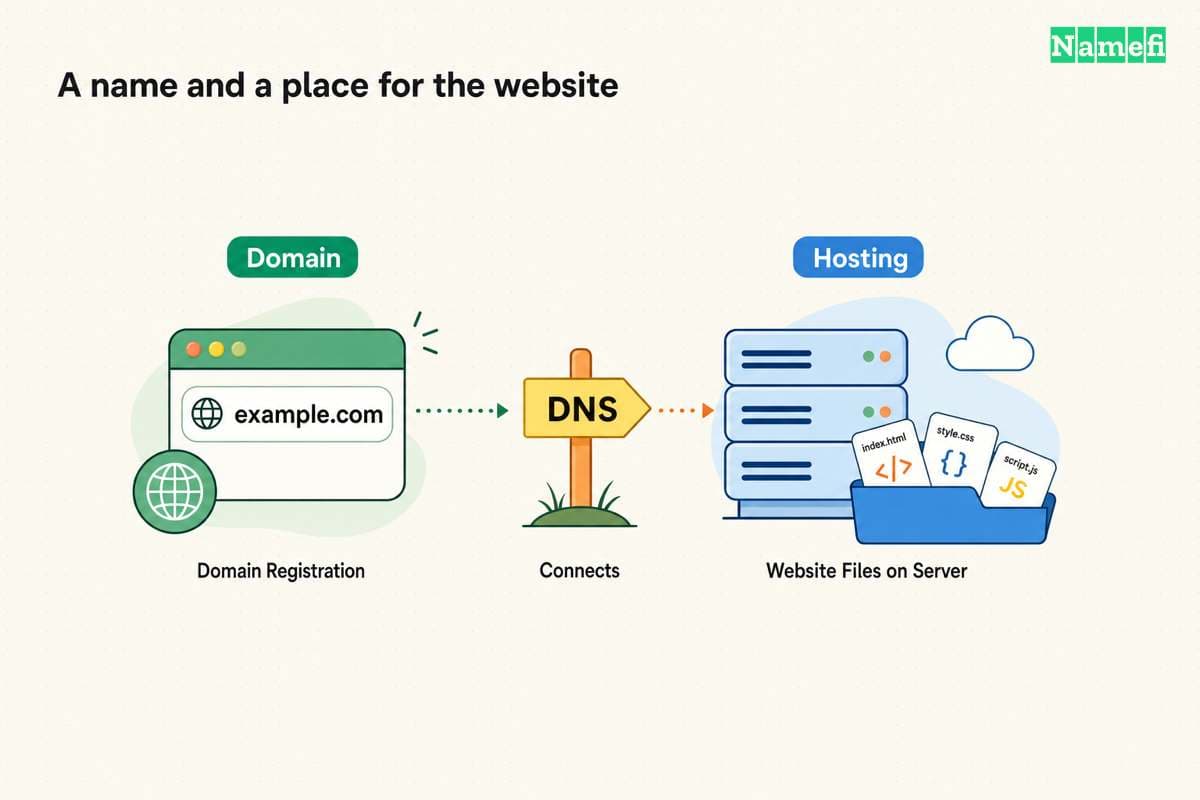
The website hosting investigation guide follows that distinction through DNS, proxy records, and account evidence. The domain versus hosting guide explains why the registrar can differ from the web host.
An abuse report needs event evidence beyond the lookup
Use the registry result to find the appropriate reporting route. As practical advice, include the source address, destination service, timestamp with timezone, and a concise description. Include only the log lines needed to explain the event.
Do not send passwords, access tokens, unrelated customer data, or complete private logs. Review the recipient’s reporting instructions before submitting attachments. A registry contact helps route a report but does not determine whether the reported activity violated a policy.
A stale screenshot can also weaken a report. Repeat the lookup when preparing the report and label the search time. If the observed traffic occurred earlier, preserve the original event time as a separate value.
A useful conclusion states what remains unknown
A good final note identifies the network registration, the source registry, and the appropriate contact role. The note also records any uncertainty about a reseller, proxy, hosting customer, or publisher.
An IP WHOIS lookup does not finish every identity investigation. The lookup supplies a concrete network record that supports the next question. Use domain registration evidence for the registrar, hosting-account evidence for the account provider, and authorized access records for operational control.
Before acting, compare the question with the evidence. If the question concerns network abuse, route the event to the documented abuse channel. If the question concerns a website’s hosting bill, search account records. That boundary prevents a technically correct lookup from becoming an unsupported ownership claim.
Sources and further reading
ARIN explains IP address searches
ARIN explains IP address searches. Supporting passage: “You can search for a network using its IPv4 or IPv6 address.” Checked 2026-10-30.
ARIN describes registration data
ARIN describes registration data. Supporting passage: “RDAP responses are returned in JavaScript Object Notation (JSON)” Checked 2026-10-30.
ARIN identifies contact roles
ARIN identifies contact roles. Supporting passage: “Administrative, Technical, Abuse, Network Operations Center [NOC], Routing, and DNS” Checked 2026-10-30.
Cloudflare explains proxied addresses
Cloudflare explains proxied addresses. Supporting passage: “visitors who look up your domain receive a Cloudflare IP address instead of your origin server's real IP address.” Checked 2026-10-30.
The IETF reserves example address blocks
IETF RFC 5737, section 3 reserves the TEST-NET address blocks for documentation. Checked 2026-10-30.
About the author(s)
Fenwei Bian is a software developer in her thirties who spends her working hours in pull requests and her weekends with her hands in soil or sawdust. Years of open source on GitHub taught her that names are interfaces: a good one is clear, honest about what it does, and kind to whoever has to use it next.
She gardens because it rewards patience and punishes wishful thinking, and she does woodwork because a joint either fits or it doesn't. Both habits show up in how she writes about naming — measure twice, check the source, and don't sand over a rough spot and hope no one notices.
For Namefi she writes about how domain markets actually move, the practical trade-offs of tokenizing and flipping names, and picking a domain you'll still be glad you own in twenty years.