What Is a Subdomain? Examples You Can Use for Your Own Site
Understand www, shop, app, and support subdomains. Use concrete examples to plan DNS, hosting, HTTPS, access, and service retirement.

- domains
- dns
- guide

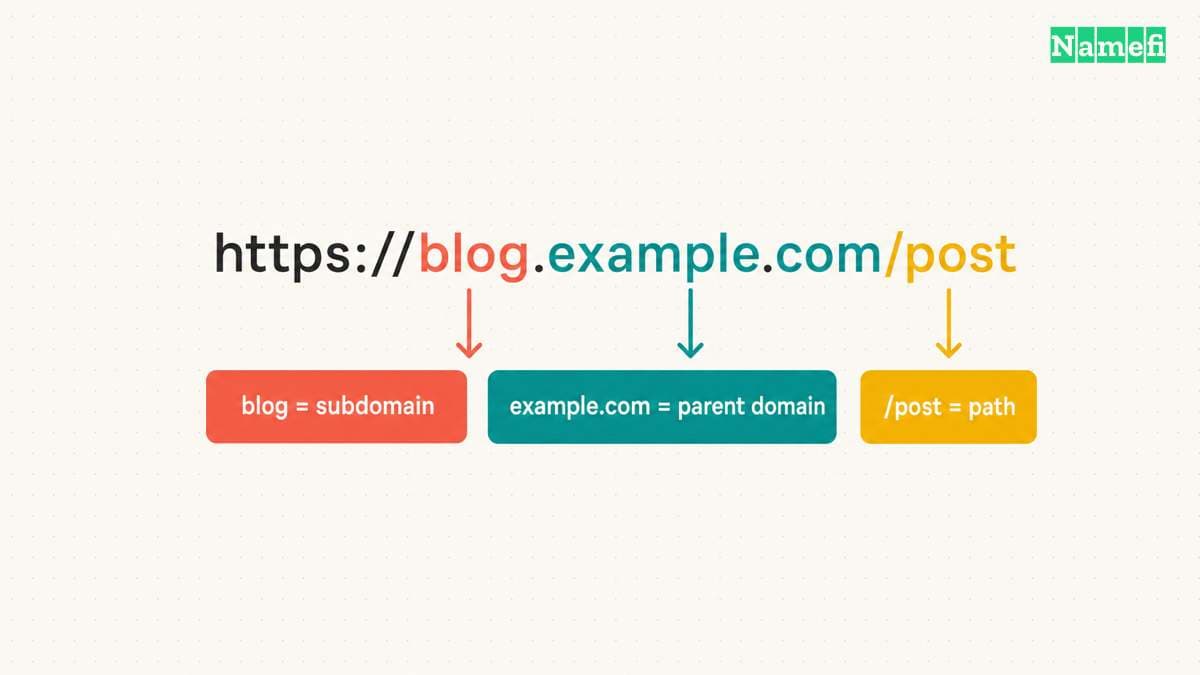
A subdomain is a domain beneath another domain in the DNS hierarchy. In the hypothetical address blog.example.com, blog.example.com is a subdomain of example.com. The familiar names www, shop, app, and support often identify different services. The DNS standard defines subdomains through whole labels.
A useful label does not create a website by itself. The hostname still needs suitable DNS records, a destination that accepts the hostname, and the required HTTPS configuration. Choose the name according to the service you intend to operate.
A complete address separates the hostname from the path
Consider the hypothetical URL https://blog.example.com/articles/start.
| Part | Value | Responsibility |
|---|---|---|
| Scheme | https | The connection protocol |
| Hostname | blog.example.com | The named website endpoint |
| Subdomain label | blog | The label beneath example.com |
| Parent domain | example.com | The containing domain |
| Path | /articles/start | The resource selected by the website |
The path /articles/start does not become part of the DNS name. MDN explains the URL path and hostname components. A website can place a blog at example.com/blog/ without creating blog.example.com.
Our subdomain and subdirectory comparison examines that architecture choice. This guide focuses on recognizable examples and the responsibilities attached to each name.
A nested name also follows the hierarchy. api.eu.example.com sits beneath eu.example.com, which sits beneath example.com. The number of labels alone does not identify which part a registrar sells.
To inspect the hostname portion of another address, use Namefi's domain-name inspector. Enter the name without the scheme, path, or query. The local parser reports the public suffix and subdomain boundary when known, rather than checking site safety or account ownership.
Common examples describe intended services rather than automatic features
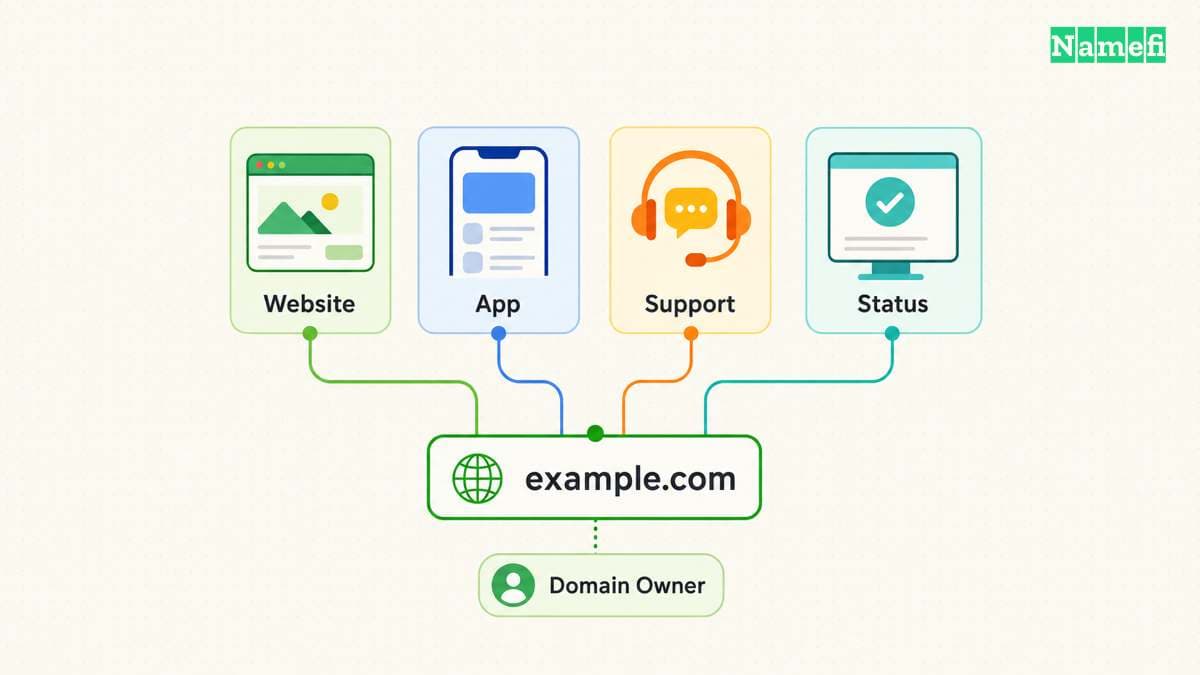
The following addresses are hypothetical naming examples. Each address requires a configured service.
| Subdomain | Possible use | Operational decision |
|---|---|---|
www.example.com | Main website | Which hostname should be the primary public address? |
blog.example.com | Publishing application | Who maintains the publishing platform? |
shop.example.com | Storefront | Which service handles checkout? |
app.example.com | Customer application | Which authentication controls apply? |
support.example.com | Help center | Who manages the external support platform? |
status.example.com | Service status page | Which dependencies remain during an outage? |
api.example.com | Application interface | Which clients depend on the hostname? |
staging.example.com | Test environment | Who may access the environment? |
www.example.com is a subdomain of example.com. The label www does not require a different website from the parent domain. The website configuration decides whether the addresses serve content or redirect.
Similarly, the name secure.example.com does not secure a service. A label describes an intended use. Authentication, authorization, TLS, and application behavior require their own configuration.
For a small site, one application with paths can be easier to maintain. Consider a separate hostname when a different provider, deployment workflow, or operational owner creates a real need.
You should read the complete hostname before trusting a link
Subdomain relationships use complete DNS labels. The standard explicitly distinguishes names that merely share a character sequence. RFC 9499 gives the whole-label rule.
For example, ooo.example.com is not a subdomain of oo.example.com. In the hypothetical address https://example.com.login.attacker.example/, the hostname ends in attacker.example. The initial example.com text does not place the address beneath example.com.
Read the hostname through the final labels before entering credentials. A familiar word at the beginning of an address can create a misleading impression. The same caution applies to labels such as billing, support, and login.
Do not infer control of a service from its label alone. Check the intended organization’s official route when the action involves account access or payment.
A working subdomain needs an accepting service and DNS records
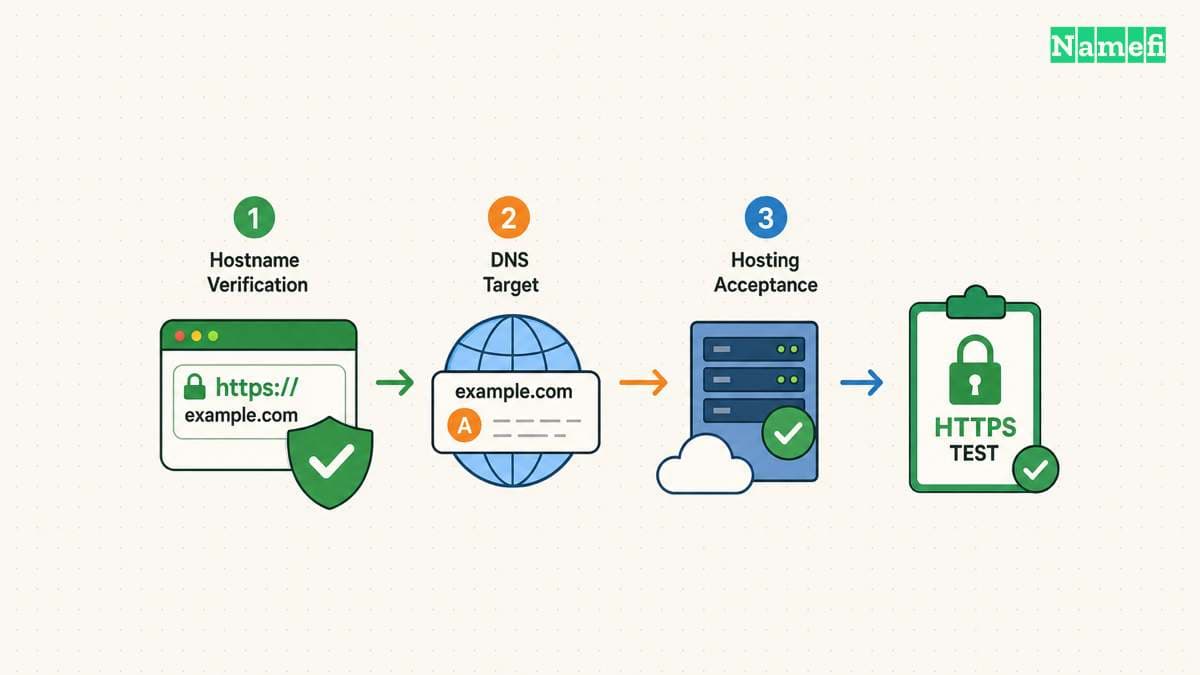
Cloudflare’s setup instructions begin by confirming that the hosting provider can serve the selected hostname. The instructions then describe A, AAAA, and CNAME records. The provider documents the sequence and targets.
| Host supplies | Typical record type | What belongs in the target |
|---|---|---|
| IPv4 address | A | The host’s actual IPv4 address |
| IPv6 address | AAAA | The host’s actual IPv6 address |
| Another DNS hostname | CNAME | The host’s actual destination hostname |
Use only the record types the destination requires. Do not add all record types because a tutorial lists alternatives. Do not enter https:// or a page path into a field that expects a DNS target.
A practical setup sequence is:
- Add the hostname in the destination service.
- Complete the service’s domain verification.
- Copy the requested DNS record to the active zone.
- Inspect the saved name and destination.
- Test DNS resolution for the exact hostname.
- Test the exact HTTPS URL and an important page.
Check how the DNS interface handles the parent domain. Some interfaces append the domain automatically. A repeated suffix can create an unintended record.
Our CNAME and A record guide explains target differences. Preserve unrelated mail and verification records while adding the new hostname.
Security and retirement need explicit owners
A staging subdomain needs access controls when the environment contains private material. A difficult hostname does not replace authentication. Decide the intended audience before publishing the service.
A separate subdomain also does not guarantee complete browser isolation. MDN explains that a cookie’s Domain attribute can make the cookie available to subdomains. The cookie scope documentation describes the behavior.
Review cookie settings with the application owner when a marketing site and customer application share a parent domain. Do not broaden cookie scope merely to hide a login problem.
Check HTTPS for each intended hostname. Let’s Encrypt’s challenge documentation distinguishes wildcard issuance from ordinary hostname validation. The certificate guidance explains the validation choices. DNS success and certificate success are separate checks.
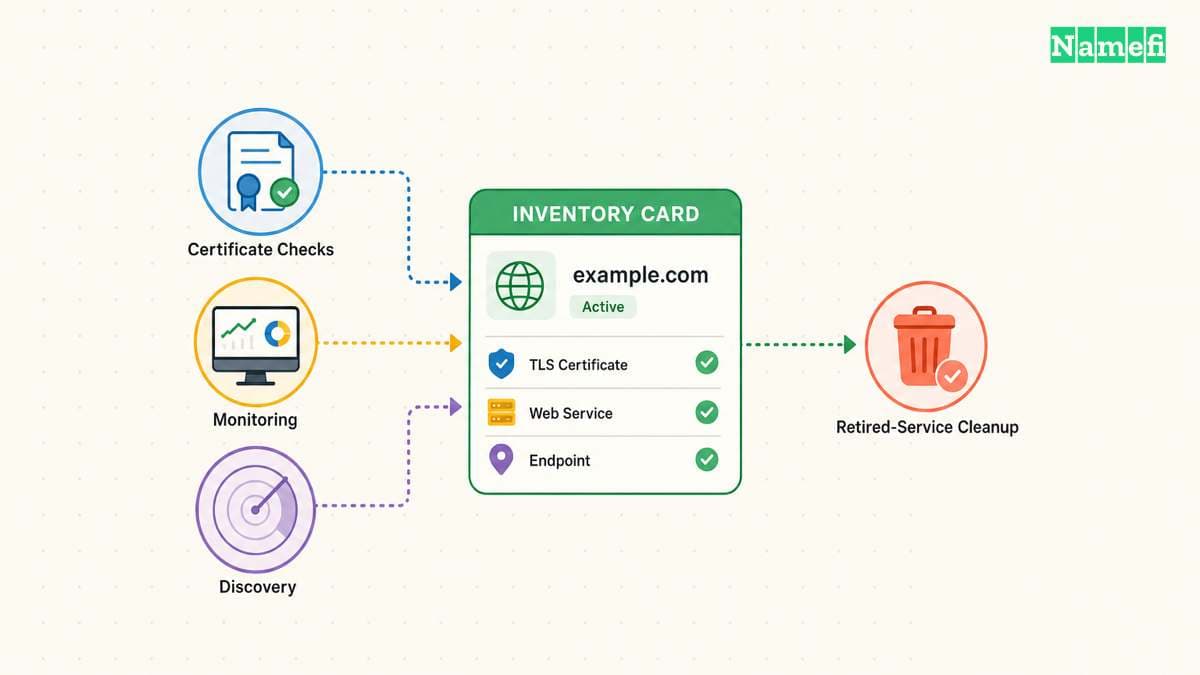
Maintain a hostname inventory with the destination, account owner, certificate workflow, and retirement plan. When retiring an external service, review the DNS record and provider-side hostname configuration together. Avoid leaving a published address attached to an abandoned service configuration.
Choose a subdomain when the name supports a clear service boundary. Finish the task by verifying DNS, HTTPS, application behavior, and ownership of the ongoing maintenance.
Sources and further reading
The DNS standard defines subdomain relationships
The DNS standard defines subdomain relationships, checked 2026-10-30.
Cloudflare explains subdomain configuration
Cloudflare explains subdomain configuration, checked 2026-10-30.
MDN explains cookie domain scope
MDN explains cookie domain scope, checked 2026-10-30.
Lets Encrypt documents hostname validation
Lets Encrypt documents hostname validation, checked 2026-10-30.
MDN explains URL anatomy
MDN explains URL anatomy, checked 2026-10-30.
About the author(s)
Fenwei Bian is a software developer in her thirties who spends her working hours in pull requests and her weekends with her hands in soil or sawdust. Years of open source on GitHub taught her that names are interfaces: a good one is clear, honest about what it does, and kind to whoever has to use it next.
She gardens because it rewards patience and punishes wishful thinking, and she does woodwork because a joint either fits or it doesn't. Both habits show up in how she writes about naming — measure twice, check the source, and don't sand over a rough spot and hope no one notices.
For Namefi she writes about how domain markets actually move, the practical trade-offs of tokenizing and flipping names, and picking a domain you'll still be glad you own in twenty years.