How to Check Your Domain’s DNS Records With MXToolbox
Use MXToolbox to inspect DNS records, separate mail routing from authentication, and compare an individual lookup with a DNS health report.

- domains
- guide
Use MXToolbox DNS Lookup for an individual DNS lookup, and use its DNS Check report to inspect the domain’s nameserver setup. Choose the tool that matches the symptom. MXToolbox documents its DNS lookup. An MX answer concerns mail routing. A DNS health report concerns broader DNS operation. MXToolbox describes its DNS Check process.
This guide explains how to use the results. The guide does not run a live test or report that a particular domain passed.
The symptom determines the record type
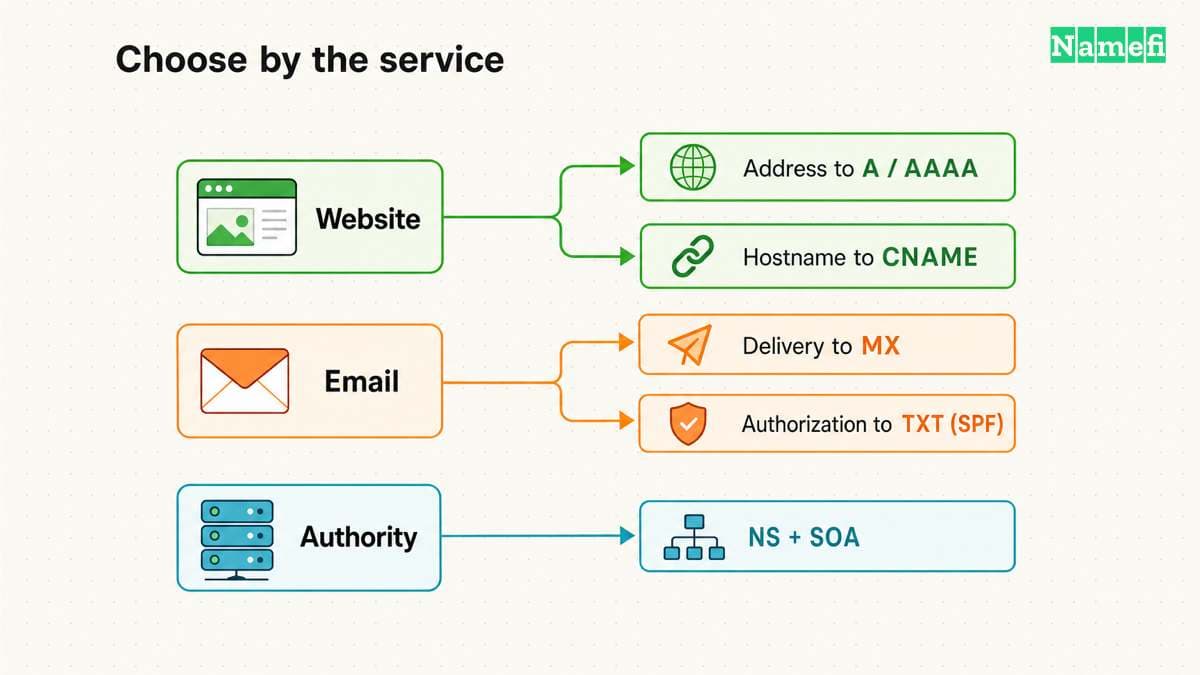
Start with the hostname and the failed operation. A website that does not resolve needs different evidence from a mailbox that cannot receive messages. Write the exact name before selecting a record type.
The MXToolbox interface offers multiple tests through its tools and lookup controls. Read the selected test label before running a query. The official interface identifies the available lookup tools.
Use this worksheet as practical guidance:
| Symptom | First evidence to inspect |
|---|---|
| A site name does not resolve | Address records and authoritative nameservers |
| Mail does not arrive | MX records, then the destination mail server |
| A provider cannot verify the domain | The exact verification TXT owner name |
| DKIM does not validate | The selector-specific DKIM record and a received message |
| Different users see different answers | Authoritative answers and resolver cache conditions |
Do not treat a successful query for one name as a test of every subdomain. example.com and mail.example.com are distinct lookup inputs. The example names here describe a workflow, not a working configuration.
An individual lookup answers a narrow question
Enter the domain or hostname without https:// and without a URL path. Select the intended lookup. Check the result label and input name again after the query completes.
Read the returned record values before reading a warning summary. A result can show that a record exists while leaving the original application problem unresolved. For example, a TXT response can establish publication without proving that a provider accepted the value.
Record the query name, record type, returned value, and test time. When a result includes TTL, keep the value in seconds. Do not interpret TTL as a guarantee that every resolver already has the latest answer.
As editorial advice, compare the response with the service provider’s current setup instructions. A plausible-looking hostname can still point to an old provider. A copied result is useful only when the expected value is known.
The DNS record guide explains the roles of address, alias, mail, and policy records. Use that guide when the tool offers more test choices than the symptom requires.
For the narrow record check, Namefi's DNS lookup supports DNS records, MX, PTR, and a Google-versus-Cloudflare comparison. Use the task and record type that match the symptom. Namefi's tool does not reproduce MxToolbox's broader nameserver diagnostics or prove application delivery.
MX records need careful interpretation
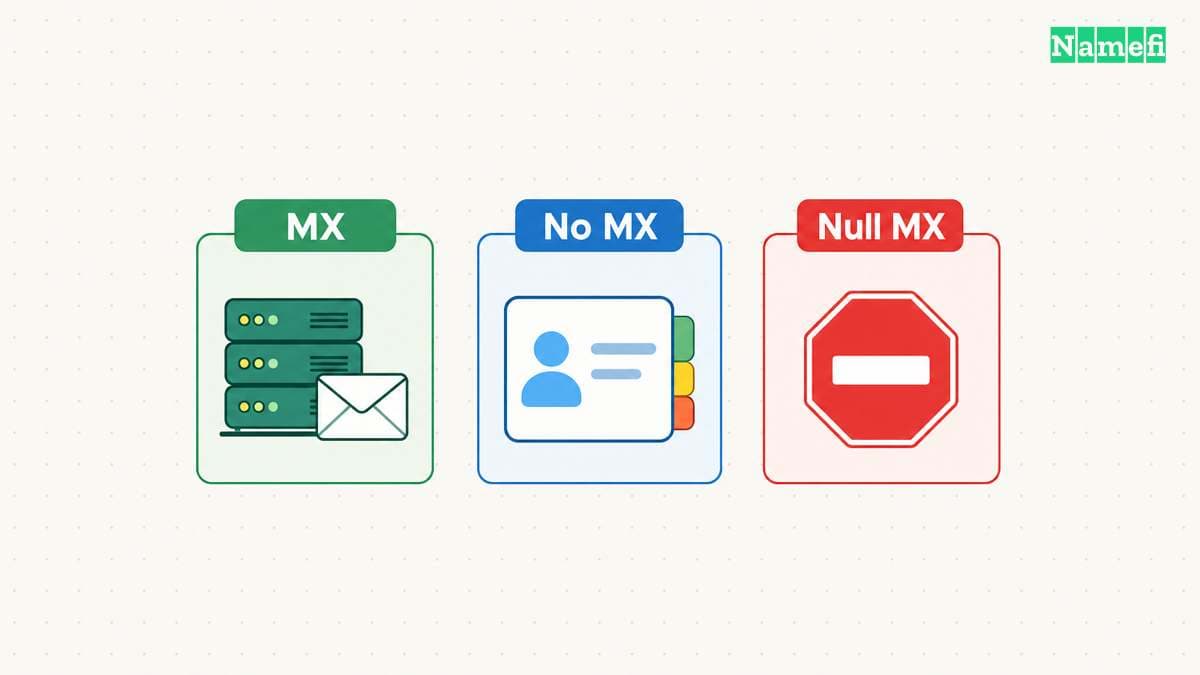
SMTP uses MX preference values to choose destinations. Lower preference values take precedence over higher values. The mail transfer standard also specifies fallback behavior when no MX record exists. RFC 5321 defines MX processing.
Therefore, an empty MX answer and an explicit null MX are different results. A null MX publishes a zero preference with a dot as the exchange and declares that the domain does not accept mail. RFC 7505 defines null MX.
Do not add a real mail host to a domain that deliberately publishes null MX without confirming the intended policy. Do not call absent MX proof that the domain rejects email. Read the full answer and distinguish a missing record from a negative response or lookup failure.
An MX lookup also does not authenticate a sender. A domain can route incoming mail correctly while a separate outgoing provider lacks the expected signing configuration. Use the DKIM checking guide when the symptom concerns signatures.
DNS Check examines nameserver behavior
MXToolbox says DNS Check starts from root or TLD servers and then queries the nameservers. The report checks whether the nameservers respond, measures performance, and audits results against common practices. The provider explains the report scope.
That scope differs from a single record lookup. Use the report when a domain has broader resolution problems, or when the delegated nameservers may disagree. Start with delegation and reachability findings before changing individual application records.
A warning still needs context. Confirm the affected server, query, and expected configuration. Avoid making several DNS changes because a report contains several colored labels. Correct one understood problem, rerun the relevant test, and compare the result.
Keep the original output before making a change. A later report can otherwise remove the only record of the earlier failure.
A controlled change produces useful verification
Before editing DNS, identify the authoritative DNS provider. A registrar login does not necessarily control the active zone. The hosting-provider investigation guide explains the separate provider roles.
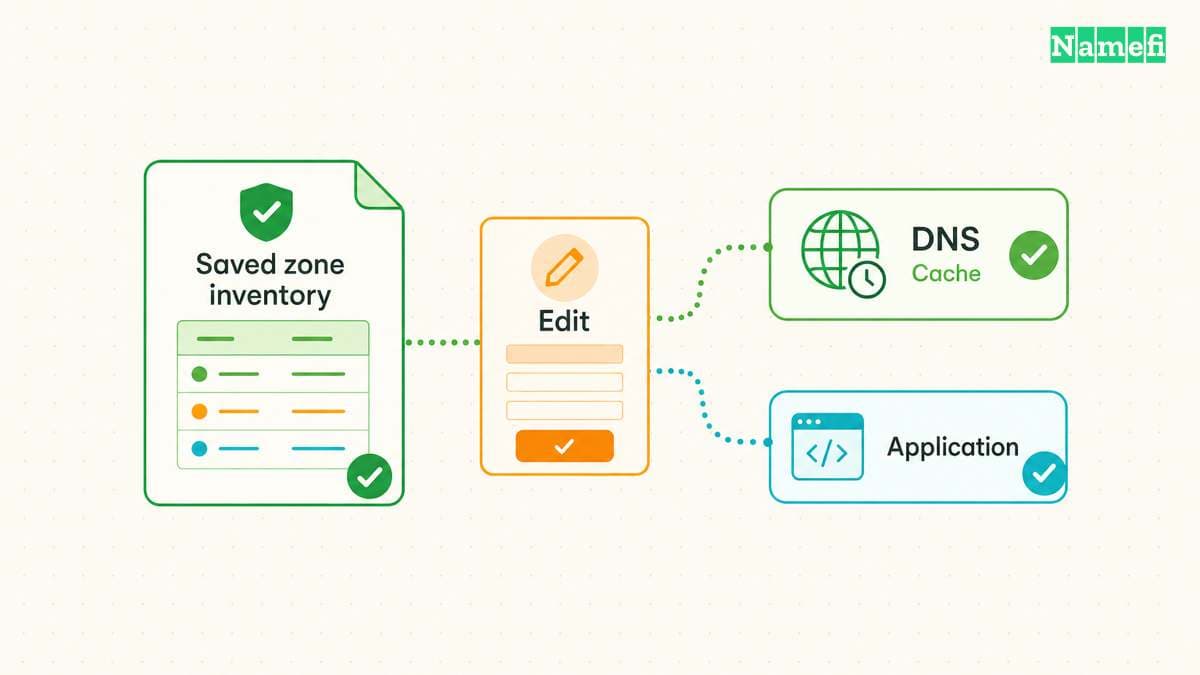
Save the existing record values and define the expected answer. Change only the record that the service instructions require. Preserve unrelated mail, verification, and application records.
After the change, check the authoritative answer and repeat the public lookup. If the results differ, record the resolver and timestamp before assuming the edit failed. Escalate with the exact name, record type, expected value, actual value, and provider instructions.
The useful outcome is a verified answer to the original question. A green DNS report alone cannot prove mailbox delivery, application login, or certificate deployment. Finish with the service test that first failed.
Sources and further reading
MXToolbox explains the DNS report
MXToolbox explains the DNS report. Supporting passage: “Then we query each name server to make sure your DNS Servers all respond” Checked 2026-10-30.
MXToolbox provides lookup tools
MXToolbox provides lookup tools. Supporting passage: “This test will list MX records for a domain in priority order.” Checked 2026-10-30.
The SMTP standard defines MX processing
The SMTP standard defines MX processing. Supporting passage: “If an empty list of MXs is returned, the address is treated as if it was associated with an implicit MX RR, with a preference of 0, pointing to that host.” Checked 2026-10-30.
The null MX standard declares no mail service
The null MX standard declares no mail service. Supporting passage: “a simple mechanism by which a domain can indicate that it does not accept email.” Checked 2026-10-30.
MXToolbox explains individual DNS lookups
MXToolbox explains individual DNS lookups. Supporting passage: “This test will list DNS records for a domain in priority order.” Checked 2026-10-30.
About the author(s)
Fenwei Bian is a software developer in her thirties who spends her working hours in pull requests and her weekends with her hands in soil or sawdust. Years of open source on GitHub taught her that names are interfaces: a good one is clear, honest about what it does, and kind to whoever has to use it next.
She gardens because it rewards patience and punishes wishful thinking, and she does woodwork because a joint either fits or it doesn't. Both habits show up in how she writes about naming — measure twice, check the source, and don't sand over a rough spot and hope no one notices.
For Namefi she writes about how domain markets actually move, the practical trade-offs of tokenizing and flipping names, and picking a domain you'll still be glad you own in twenty years.