Best WordPress Hosting: Which Features Are Worth Paying For?
Compare WordPress hosting through backups, updates, support, capacity, and renewal terms. Use a practical checklist before purchasing.

- domains
- guide
Choose WordPress hosting by checking who maintains the site, how recovery works, and which limits apply to your workload. Start with WordPress's official technical requirements, then compare actual plan terms. A plan name alone does not establish the service you will receive.
The best fit depends on the site and the person responsible for operating the site. A personal publication, an online store, and a development agency need different support and recovery arrangements. This guide provides a purchasing method, rather than an invented provider ranking.
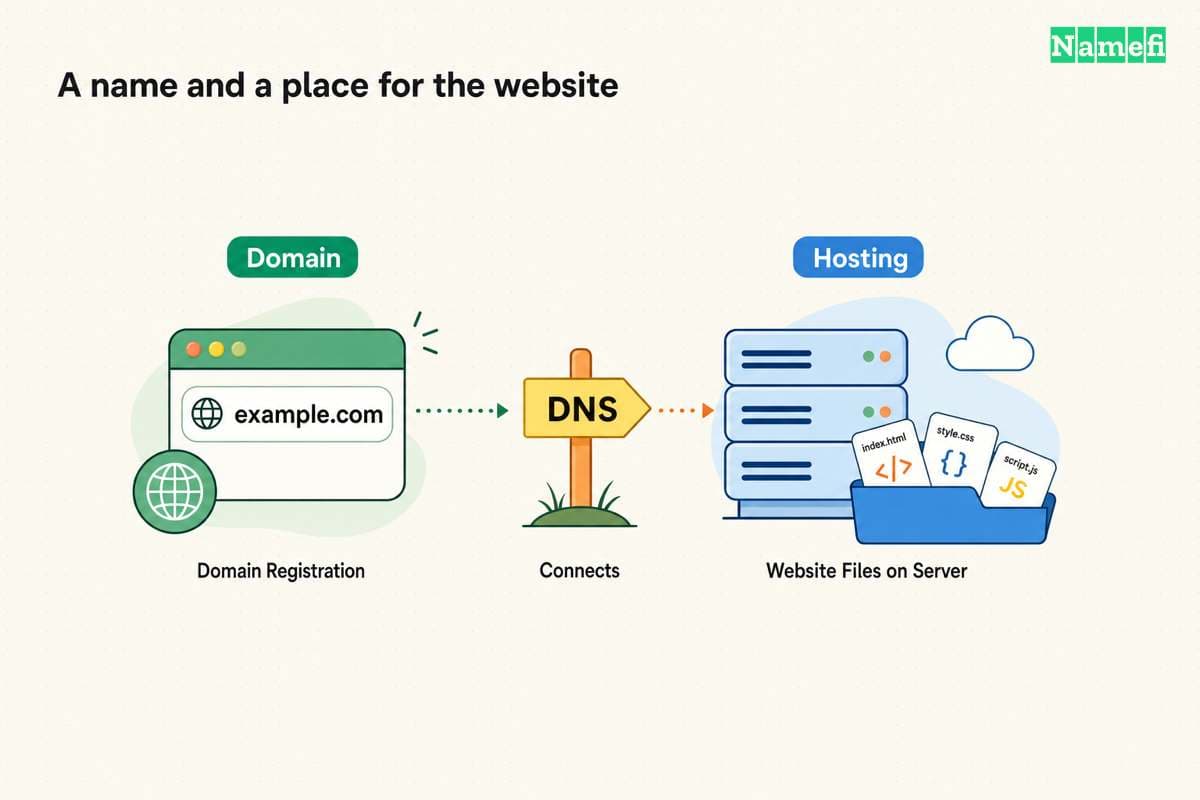
If you already own a domain, you still need a hosting service for a self-hosted WordPress site. Our domain versus hosting guide explains the separate roles.
Define the site's workload before comparing plans
Write a short description of the site you plan to run. Include the content types, important plugins, expected visitor behavior, and people who need administrative access. Identify any functions that must keep working during an update.
For a hypothetical store, the important tasks might include product searches, account sign-in, and checkout. For a publication, the important tasks might include article delivery, image uploads, and editorial previews. Those tasks give you something concrete to discuss with a host.
As practical buying advice, ask each host to map the same workload to the proposed plan. Save the answer in writing. A generic claim about supporting WordPress gives less information than an explanation of your actual requirements.
Also name the operator. Decide whether an employee, an agency, or the host will handle updates, incidents, and recovery. Include an alternate contact for emergencies and account access.
Check current platform support before optional features
WordPress currently recommends PHP 8.3 or later, MariaDB 10.11 or later or MySQL 8.0 or later, and HTTPS support. The official requirements page provides the current baseline.
Use those requirements as a starting point when asking a host about compatibility. Ask which supported versions the plan makes available and who manages upgrades. Avoid choosing a plan solely because an old installation can still run on an older runtime.
Confirm that required plugins and themes support the proposed environment. Ask the host how customers test a runtime change before applying the change to the public site. Keep those compatibility questions separate from the subscription's marketing name.
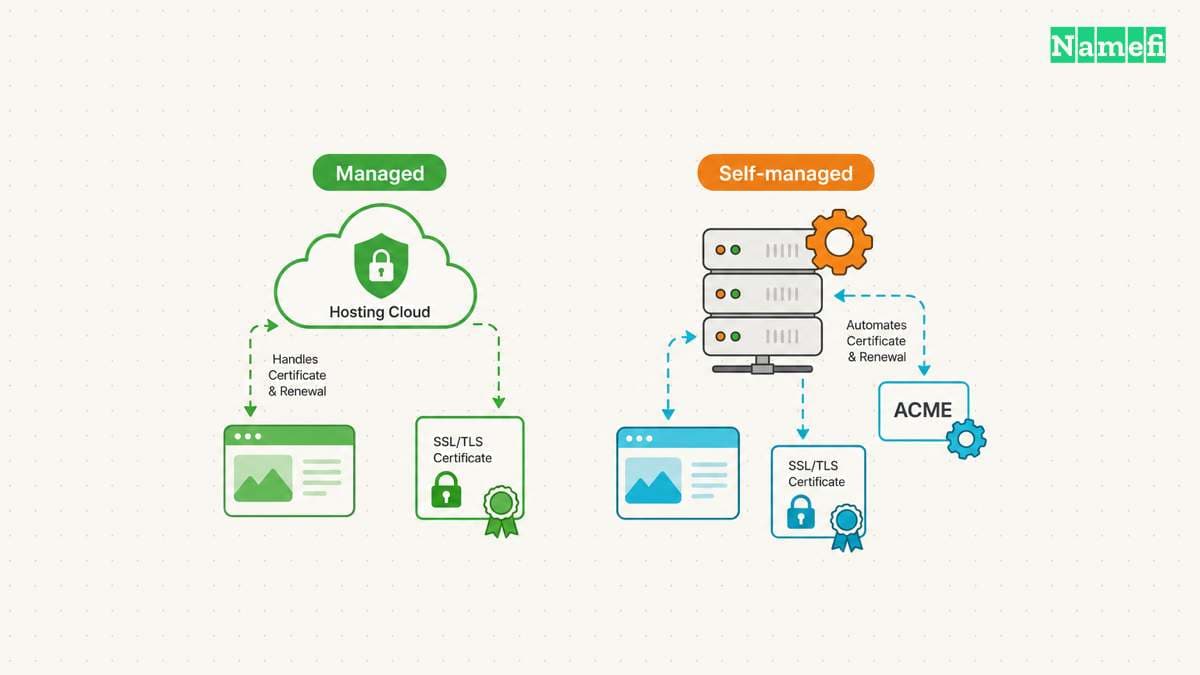
HTTPS also needs an operating owner. Ask whether the plan includes certificate installation and automatic renewal. Record who receives renewal or validation failure alerts.
Managed hosting should come with specific responsibilities
Treat “managed WordPress” as a description to investigate. Ask the provider to identify the tasks included in the plan. Do not infer a complete maintenance agreement from the word “managed.”
Use this editorial comparison checklist:
| Task | Question for the host | Evidence to save |
|---|---|---|
| WordPress updates | Who schedules and tests core updates? | Written update policy |
| Plugin updates | Which plugins receive managed updates? | Included and excluded plugins |
| Recovery | Who performs a restore after failure? | Restore process and charges |
| Security incident | What help follows a compromised account or site? | Support scope and exclusions |
| Capacity | Which limits cause throttling, charges, or suspension? | Plan limits and overage terms |
| Migration | What content and configuration will the host move? | Migration scope and customer tasks |
The checklist describes questions to ask. The checklist does not claim that every host supplies the same features.
Pay for responsibilities that someone must actually perform. If your team already handles a task, investigate whether the plan duplicates that work. If nobody handles a task, resolve the gap before launch.
A usable backup includes both the database and files
WordPress explains that recovery needs a proper backup of the database and site files. The database contains posts and other site data, while files include themes, plugins, and uploaded material. The official backup guide describes both parts.
Ask how often the host creates backup sets and how long the host keeps each set. Ask whether you can download a copy outside the hosting account. Record any excluded folders, databases, or file sizes.
Then ask a harder question: how does a restore work? Identify whether you can restore a test copy before replacing the live site. Confirm who can initiate the restore and how the process affects new orders or submissions.
As practical advice, test a restore before trusting the recovery arrangement. A visible backup date is useful information, but a successful restore demonstrates a different capability.
Keep a recovery note with the relevant account access, support route, and most recent tested backup. Protect access to backups because backups can contain private site data.
Test important behavior before moving the public domain
Ask whether the plan provides a staging site or another safe testing method. Use that environment to inspect the actual theme, plugins, forms, and account behavior. Avoid benchmarking an empty demo when your production site has different work to do.
For a store, review checkout and customer-account behavior with the appropriate test configuration. For a publication, test image uploads, editorial permissions, and scheduled posts. Record failures that require a host response.
These are editorial acceptance tests. No performance figures in this guide represent measured hosting results. Ask providers to explain any published benchmark's workload and conditions before using the benchmark to make a purchase.
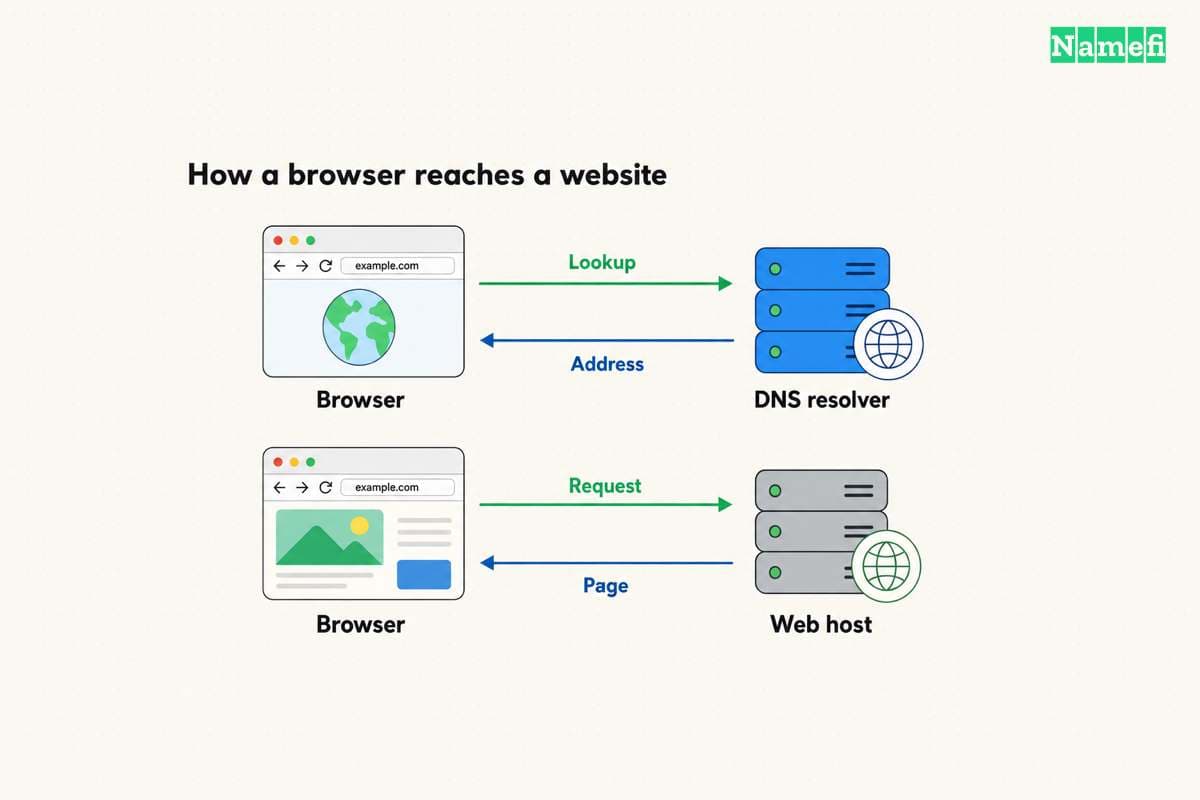
Before launch, prepare the exact DNS change with the host. Preserve email records and unrelated subdomains. The DNS record guide helps identify the records that serve separate functions.
Compare the ongoing bill and the exit process
Read the initial invoice and renewal terms separately. Record the billing currency, subscription period, renewal amount, and any required add-ons. Ask what happens when the plan exceeds a limit or when a promotional period ends.
Do not assume a domain or email bundle remains included under every renewal condition. Confirm the treatment of each bundled service. Keep those service costs visible in the comparison.
Also test the exit path. WordPress.com explains that a standard content export excludes theme design, customizations, and plugins. The export links to media rather than containing the media files themselves. Export and complete migration therefore require different checks.
Ask the proposed host how you can obtain files, database backups, and domain access when leaving. Record which features depend on the host's proprietary tools. A clear exit process gives your future operator a practical migration route.
Choose the plan after the provider answers the questions that matter for your site. Finish with a named operator, a tested recovery method, clear renewal terms, and a usable migration path.
Sources and further reading
WordPress lists its hosting requirements
WordPress lists its hosting requirements. Checked 2026-10-30.
WordPress explains complete site backups
WordPress explains complete site backups. Checked 2026-10-30.
WordPress.com explains export limitations
WordPress.com explains export limitations. Checked 2026-10-30.
About the author(s)
Fenwei Bian is a software developer in her thirties who spends her working hours in pull requests and her weekends with her hands in soil or sawdust. Years of open source on GitHub taught her that names are interfaces: a good one is clear, honest about what it does, and kind to whoever has to use it next.
She gardens because it rewards patience and punishes wishful thinking, and she does woodwork because a joint either fits or it doesn't. Both habits show up in how she writes about naming — measure twice, check the source, and don't sand over a rough spot and hope no one notices.
For Namefi she writes about how domain markets actually move, the practical trade-offs of tokenizing and flipping names, and picking a domain you'll still be glad you own in twenty years.