Free Website and Domain: Which Offers Are Actually Free?
Choose a free hosted address or a paid website plan with a domain offer. Check publishing limits, renewals, and account access.

- domains
- guide
You can publish a website with a free provider-hosted address, or buy a plan that includes a temporary domain discount. These choices solve different problems. GitHub Pages offers static hosting on its own domain. Squarespace ties its domain promotion to an annual website plan.
If the budget requires no paid website subscription, begin with a hosted address. If the project requires a separate custom domain, compare the complete website and registration costs. Avoid treating a first-year registration discount as a permanently free website.
The website and its address require separate decisions
A website needs a place to publish its content. A domain provides a name that visitors can use. The domain and hosting comparison explains those roles in detail.
For this decision, write down two requirements. First, describe the website features: static pages, a blog, appointments, account access, or transactions. Second, describe the address: a provider-hosted name or an independently managed registration.
Do not choose a service from the address alone. A free address does not answer whether the host supports the website features. Conversely, a website plan does not necessarily include a new domain registration.
A useful comparison records the actual published URL, publishing capabilities, account requirements, and later charges. Keep an unknown field visible until the provider answers the question.
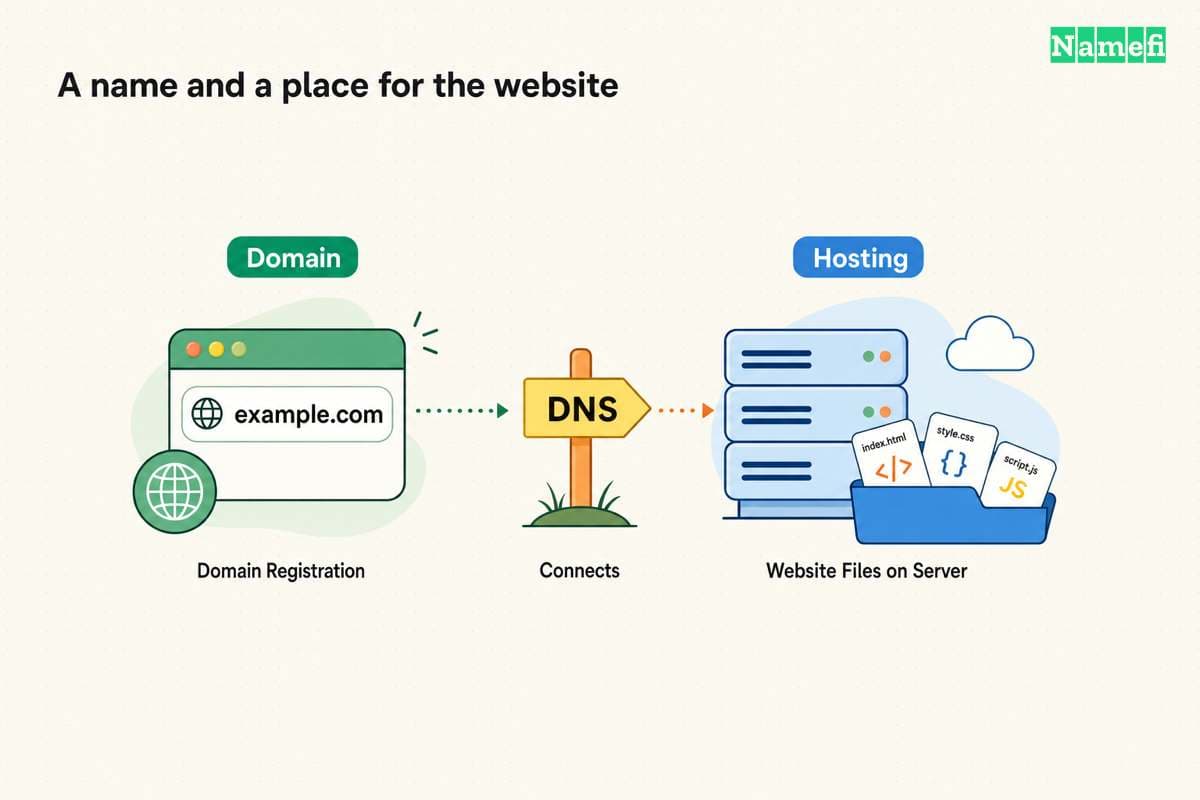
A static website can use a free hosted address
GitHub Pages is a concrete route for static content. GitHub documents hosting HTML, CSS, and JavaScript from a repository. GitHub Free supports Pages in public repositories. GitHub lists different repository access options for its paid plans.
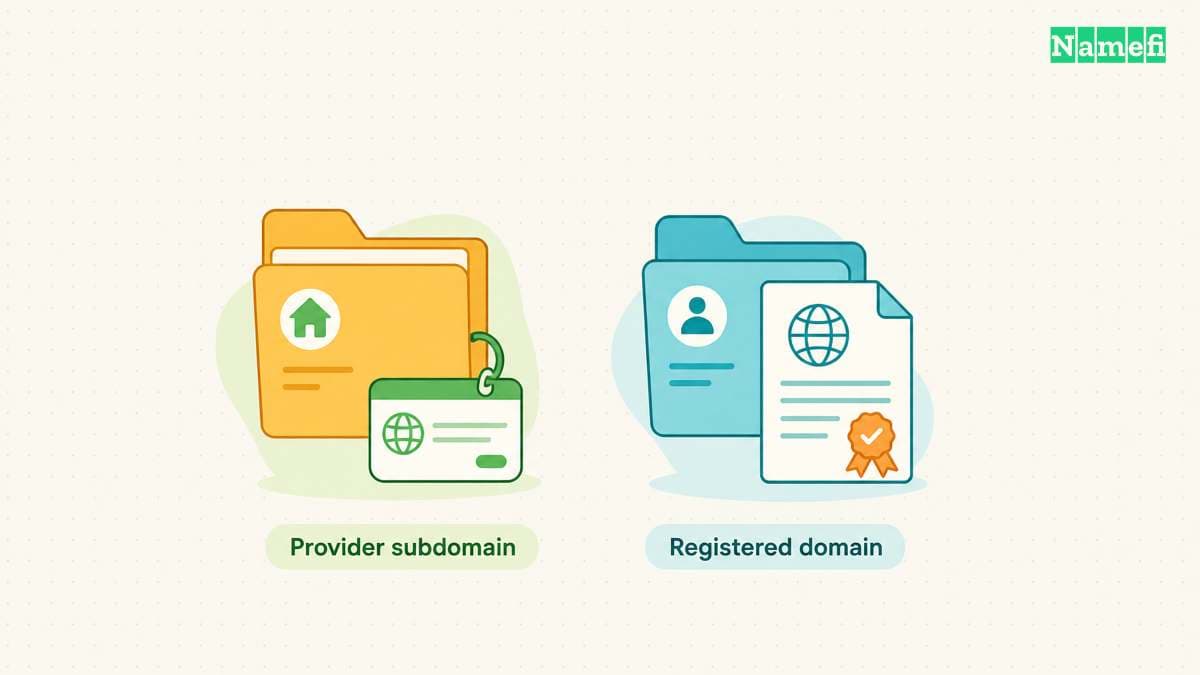
An account site uses an address under github.io. A project site adds a repository path. GitHub also supports a custom domain, but custom-domain support does not provide a free registration.
For a portfolio, documentation site, or small informational project, use the following planning sequence:
- Prepare the content that you intend to publish publicly.
- Read the GitHub Pages documentation and choose the appropriate site type.
- Create the repository and select the publishing source through GitHub's documented workflow.
- Publish the site and test the complete address in a signed-out browser.
- Confirm that every page and asset intended for visitors loads correctly.
These steps describe a route, rather than a claim that this article has created a site for you. The account owner must complete the setup.
Check GitHub's use policy before choosing Pages for a business project. GitHub excludes free hosting for online businesses, ecommerce, and sites primarily facilitating commercial transactions or commercial SaaS. GitHub also advises against sensitive transactions such as sending passwords or credit card numbers. The official use restrictions explain the boundary. A static site still needs to fit that policy.
A static host does not provide every application feature. Before committing to a platform, check the actual requirements for forms, private accounts, payments, or server code. Keep private credentials out of public repositories and generated pages.
A website builder can include a conditional domain discount
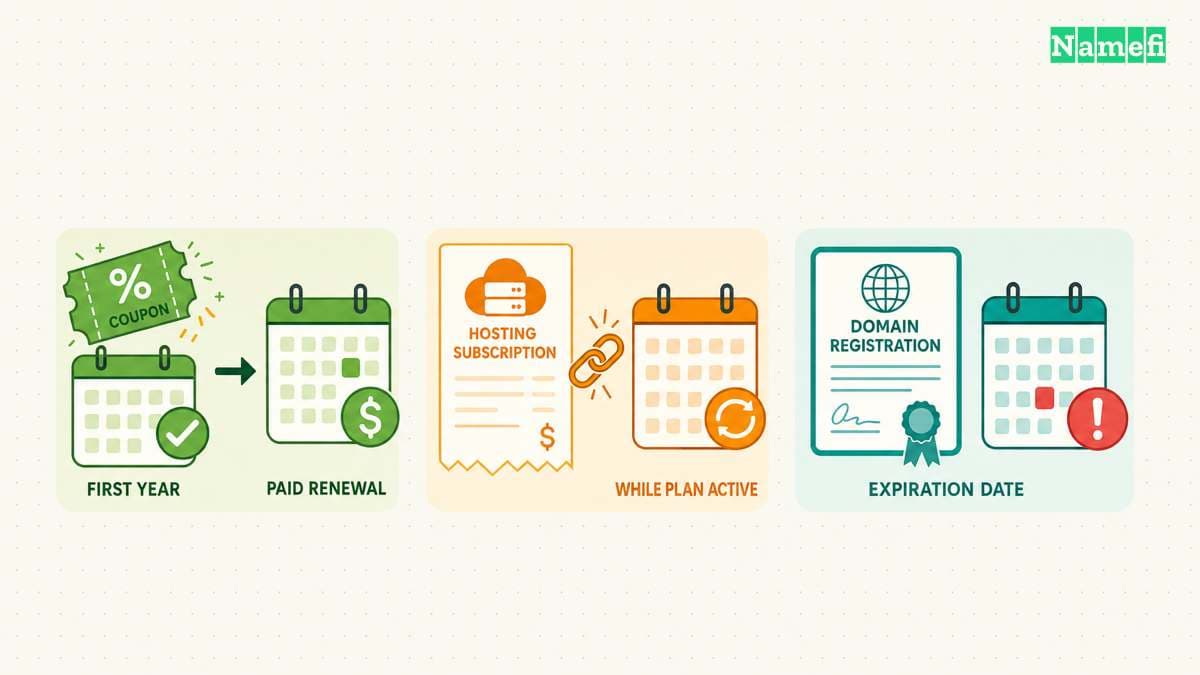
Squarespace states that an annual website plan includes the first year of an eligible domain. Later renewals use the standard rate, plus applicable taxes. This route joins website service and registration in one purchase, with separate cost questions.
Wix describes a voucher for selected yearly or multi-year plans. The voucher has a redemption deadline and a later renewal charge. Read the specific terms before buying a plan for the domain benefit.
The practical sequence differs from the static-host route:
- Confirm that the website plan supports the features the project requires.
- Check whether the plan qualifies for the current domain promotion.
- Search for the exact domain and confirm promotion eligibility.
- Read the registration, renewal, cancellation, and optional-service terms.
- Confirm the discount and all recurring subscriptions in the order summary.
- Publish the website and verify the custom address.
Choose this route when the website plan itself fits the project. A registration promotion has limited value when the project needs an unsuitable or unnecessary subscription.
A comparison should expose the cost and control boundaries
Use this worksheet when evaluating any offer. The worksheet asks questions rather than assigning unsupported prices.
| Decision | What to record |
|---|---|
| Published address | The complete hostname and any required project path |
| Website features | The features included in the selected plan |
| Source access | How the owner keeps a copy of the content |
| Domain registration | Whether the owner receives a separate registration |
| Renewal | The domain and website renewal terms, separately |
| Optional services | Email, privacy, scheduling, or other added subscriptions |
| Exit | How the owner moves content and maintains the address |
For a provider-hosted address, ask what happens when the account or service ends. For a separately registered domain, check the registration contact, recovery options, renewal payment, and DNS controls.
The free domain offer guide provides the narrower registration checklist. Keep that decision separate from comparing design tools or publishing features.
A working preview does not complete the launch
Test the finished site through the exact address that visitors will receive. Check internal links, images, navigation, and any contact route. Repeat the check on a phone. Keep a list of features that require a paid upgrade or another provider.
Treat access control as a launch requirement. Publish only material that the intended audience may view. A demonstration site should not expose private customer records, administrative credentials, or unpublished business documents.
Record who can recover the hosting account and who can recover the domain account. A collaborator who designed the site should not become the only person able to renew the address.
Finally, save a copy of the content outside the publishing platform when the platform supports export or source control. Test whether the copy contains the pages and assets you would need for a move. This is practical continuity advice, not a promise that different builders offer identical exports.
The right next step depends on the address you need
For an informational project with a strict free-service requirement, review the official GitHub Pages route and its limits. For a builder-based project, select the required website features first, then evaluate the domain promotion.
Before sharing the launch URL, verify the published site and record the next renewal obligation. A useful free offer lets the project publish within its requirements and budget. The offer still needs a clear owner, an accessible account, and a realistic exit plan.
If the project needs a separately registered custom domain, check the complete candidate in Namefi's domain search. Review the current offer and continuing terms before buying. The search does not make the registration, hosting, or email service free.
Sources and further reading
GitHub separates hosting from custom domains
GitHub separates hosting from custom domains — checked 2026-10-30.
Squarespace states its annual-plan offer
Squarespace states its annual-plan offer — checked 2026-10-30.
Wix explains its first-year voucher
Wix explains its first-year voucher — checked 2026-10-30.
GitHub limits commercial and sensitive uses
GitHub Pages usage limits — checked 2026-10-30.
About the author(s)
Fenwei Bian is a software developer in her thirties who spends her working hours in pull requests and her weekends with her hands in soil or sawdust. Years of open source on GitHub taught her that names are interfaces: a good one is clear, honest about what it does, and kind to whoever has to use it next.
She gardens because it rewards patience and punishes wishful thinking, and she does woodwork because a joint either fits or it doesn't. Both habits show up in how she writes about naming — measure twice, check the source, and don't sand over a rough spot and hope no one notices.
For Namefi she writes about how domain markets actually move, the practical trade-offs of tokenizing and flipping names, and picking a domain you'll still be glad you own in twenty years.