OAuth CIMD Explained Simply: A Web Address as an AI Agent ID
CIMD lets an AI agent use an HTTPS address as its OAuth ID. Learn how domains, HTTPS, and public keys help, and where trust stops.

- oauth
- ai-agents
- domains
- security
- explainer
Imagine that you need to learn about an employee at a company you have never worked with. You open the staff directory on the company's official website. The entry gives you a name and contact details from a known web address. It does not prove that the employee is honest or good at their job.
Software also needs a way to introduce itself without pretending that an introduction is a character reference.
When an app or an AI agent asks to use another service, OAuth helps a person approve that access without handing the app their password. Before the service can ask, "Should this app be allowed in?", it needs to know which app is asking.
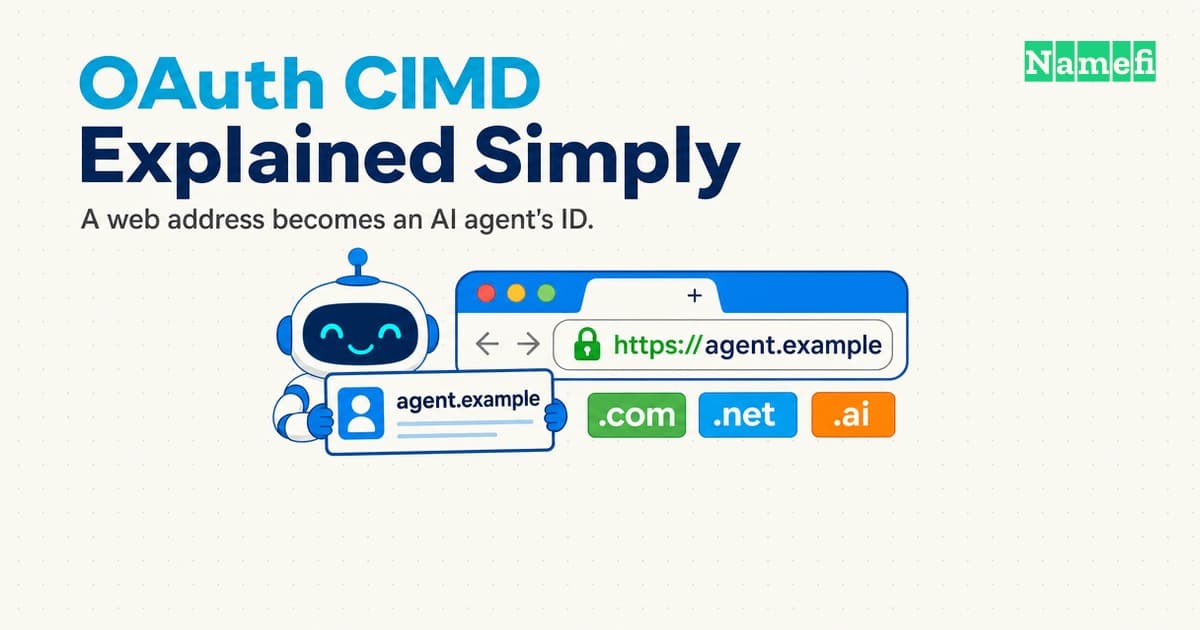
OAuth CIMD proposes a simple answer: let the app use an HTTPS address as its ID.
https://agent.example/oauth/client.json
That address is both the app's name in the OAuth process and a page where the service can read basic facts about it. The idea is especially useful for AI agents that meet new services at runtime instead of being manually registered with every service in advance.
This article explains the idea without assuming that you already know OAuth, DNS, or public-key cryptography. For the standards-level details, see our technical analysis of CIMD and domain trust.
The four participants in a typical OAuth flow
OAuth vocabulary can make a simple interaction sound harder than it is. Start with four participants:
- The user owns some data or account access.
- The client is the app or AI agent asking to use that access.
- The authorization server handles sign-in and asks the user whether to approve the client.
- The protected service holds the data or action the client wants, such as email, files, or an API.
Suppose a research agent wants permission to read documents from a cloud drive. The research agent is the client. The cloud provider's sign-in system is the authorization server. The drive API is the protected service. You are the user who decides whether to allow access.
OAuth is the process that connects those pieces. It lets the agent receive limited access without learning your cloud-drive password.
Here is the basic trip:
- The agent sends you to the authorization server and includes its client ID, its return address, and the access it wants.
- The authorization server identifies the client, signs you in, and shows what the client is asking to do.
- You approve or reject the request.
- If you approve, the authorization server sends your browser back to an approved return address with a short-lived authorization code.
- The client exchanges that code for an access token, which acts like a limited digital pass.
- The client presents the token when it calls the protected service.
CIMD changes how the authorization server learns about the client in the first two steps. It does not replace the rest of OAuth.
The old model: every service gives the app a local ID
Most OAuth clients register with an authorization server before they can ask for access. The server gives the client an identifier called a client_id.
You can think of it like a library card number. One library gives you one number. A different library gives you another. The number only makes sense inside the library that issued it.
This model works well when a company knows exactly which services its app will use. A developer registers the app with each service, stores each ID, and maintains each relationship.
AI agents create a harder case. A general-purpose agent may be asked to connect to a service that neither the agent nor its developer knew about when the software was installed. Requiring advance registration for every possible pairing does not scale well.
The CIMD model: publish one ID at an HTTPS address
CIMD stands for Client ID Metadata Document. It is a proposal from the Internet Engineering Task Force (IETF), the standards organization that develops many of the protocols used on the internet. CIMD lets a client use an HTTPS URL as its client_id.
Instead of asking every authorization server to create a new local record, the client publishes a small JSON document at its own address. JSON is simply a structured text format that software can read.
The document can say:
- the client's name;
- which addresses OAuth is allowed to send the user back to;
- which OAuth flow the client uses;
- where to find the client's public keys.
The authorization server receives the URL, downloads the document, checks it, and uses those facts during the OAuth flow.
The exact URL matters. If the client says its ID is https://agent.example/oauth/client.json, the document must be fetched from that address and must contain the same ID. The server does not silently follow the URL to a different location.
The easiest mental model is this:
A normal client ID is a card number issued by one service. A CIMD client ID is a public directory entry at an HTTPS address that many supporting services can read.
Why a domain is useful here
A domain such as agent.example gives the client a name that can work across organizations. It is not tied to one authorization server's database.
That provides three practical benefits:
- One stable name. The client can present the same URL to many supporting services.
- A readable identity. A consent screen can show the hostname instead of only showing a random string.
- A place to publish updates. The operator can update metadata or safely replace an old public key with a new one while keeping the URL stable. This planned replacement is called key rotation.
This is similar to a company using its website as its public home. Different people can visit the same address and read the current information without each person maintaining a private copy.
But a domain registration alone does not prove control of the website. Registration assigns the name to a registrant for a period of time. Separate systems control DNS, hosting, and HTTPS certificates.
What HTTPS proves, and what it does not
The https at the beginning of the URL is mandatory in CIMD. TLS is the security technology behind HTTPS, and a TLS certificate is the digital credential a web service presents during a connection. HTTPS gives the authorization server two important checks:
- The server it connected to presented a valid TLS certificate for the hostname.
- The data was protected from being read or changed while it travelled across the network.
In everyday language, HTTPS helps the authorization server confirm, "At this moment, I reached the service identified by this hostname, and nobody changed the document on the way here."
That is useful, but it is a narrow claim. HTTPS does not prove that the organization behind the domain is respected. It does not review the agent's code. It does not promise that the agent will behave safely.
A scammer can register a domain and receive a valid HTTPS certificate too. HTTPS can authenticate the service for the scammer's hostname. It cannot make the scammer honest, identify the human who wrote the document, or prove who controlled the URL in the past.
Where DNS and DNSSEC fit
Before opening a website, a computer normally asks the Domain Name System (DNS) which network address belongs to the domain. DNS acts like the internet's directory service.
Traditional DNS does not include a built-in proof that every answer is genuine. DNSSEC adds a checkable digital signature to DNS data.
The sequence is:
- A DNS lookup service returns the network address for the hostname.
- If the domain uses DNSSEC, the response includes data protected by linked digital signatures, starting from a known DNS authority and ending at the domain.
- The lookup service, or the application itself, must actually check that signature. A service that performs this check is often called a validating resolver.
- If the signature is wrong, validation reports that the answer cannot be trusted.
CIMD requires HTTPS. It does not require DNSSEC.
The two controls protect different parts of the trip:
- DNSSEC can authenticate signed DNS data when the application checks it or securely relies on a trusted DNS lookup service that checks it.
- HTTPS authenticates the service for the hostname and protects the metadata document in transit.
Using both can provide stronger defense, but adding signatures to DNS does not help an application if no trusted part of its lookup path checks them.
Why public keys can add a stronger check
The metadata document may publish a public key or tell the authorization server where to find one.
Public-key cryptography uses a pair of keys:
- A private key stays secret with the client.
- A public key can be shared with anyone who needs to check the client's signatures.
Think of the private key as a unique stamp kept in a locked room. The public key is a tool that lets someone check whether a mark really came from that stamp. Seeing the public key does not let them make a valid new mark.
When the authorization server requires client authentication, the client can send a short signed statement with its token request. One OAuth method for doing this is called private_key_jwt; its signed statement is often called a JWT assertion.
The authorization server checks which client signed the statement, whether it was meant for this server, whether it is still fresh, and whether the signature matches an accepted public key. Passing those checks authenticates the client statement for that exchange. It does not show that the agent is safe or that it deserves every permission it requests. The technical CIMD analysis covers the narrower protocol limits.
The private key must never appear in the public CIMD document. CIMD also forbids shared-secret client authentication methods and client_secret metadata because the document is public.
Why this matters for AI agents and MCP
The Model Context Protocol, or MCP, helps AI applications connect to tools and data sources. A user might ask one MCP client to connect to many different servers over time.
That creates a first-meeting problem. The authorization server needs information about the client, but the client may never have registered there before.
CIMD gives supporting authorization servers somewhere standard to look. The client presents its HTTPS ID. The server retrieves its metadata. The user can see the hostname during consent.
The current MCP draft first uses an existing registration if the client and server already share one. When they do not, it recommends CIMD. A server can optionally offer Dynamic Client Registration, an automated process in which the client asks that server to create a local registration. MCP treats that option as a deprecated fallback, not a guaranteed feature. If none of those paths work, a person or developer can provide registration details manually.
This approach can reduce the number of one-off registrations that clients and servers need to manage. It does not remove approved return-address checks, user consent, or limited permissions. It also does not remove Proof Key for Code Exchange (PKCE), a one-time challenge that prevents someone who steals an authorization code from reusing it. The current MCP draft requires clients to use PKCE and stop if the authorization server does not support it. A client that can use the SHA-256 form of the check, called S256, must use that stronger form.
Status note: both CIMD and the current MCP authorization specification are still drafts. As of 2026-07-20, the active IETF Working Group document is CIMD revision -02, published on 2026-07-06. The MCP draft still links to revision -00. Implementations and details can change, and draft recommendations do not show how widely CIMD is deployed today.
Losing the domain can mean losing the identity
If a web address is the client's identity, keeping that address becomes a security responsibility.
Imagine that an organization lets the domain expire. Someone else registers it and hosts a new document at the old URL. The new holder may now be able to make claims under the client's old name. What happens next depends on how authorization servers handle saved copies, changed metadata, earlier approvals, and separate client authentication.
The important point is simpler: from the authorization server's perspective, the URL is the client identity. Moving to a new domain creates a different client. Losing the old domain may give someone else control of the old identity page.
An operator using CIMD should therefore protect the domain like any other long-lived credential:
- enable multi-factor authentication at the registrar, the company that manages the domain registration;
- enable auto-renewal and expiry alerts;
- restrict who can change DNS and hosting;
- monitor the HTTPS certificate and metadata URL;
- plan public-key replacement carefully;
- use registry lock where it is available and appropriate; this is an extra control that blocks important domain changes until a stronger verification process unlocks them.
These controls reduce different risks. No single checkbox protects the complete path.
The most important boundary
CIMD helps answer a narrow question:
From which exact HTTPS client ID did the authorization server retrieve these details at this time?
It does not fully answer:
Is this agent safe, reputable, or entitled to the access it wants?
Authorization servers and users still have to make that second decision. They can consider the hostname, the requested permissions, organizational policy, previous history, and stronger client authentication. They should also be cautious of newly registered or lookalike domains.
This check does not identify the document's human author or prove that the same operator controlled the URL in the past. The domain is therefore a useful source of identity evidence, not a universal badge of trust.
A compact view of the trust chain
| Layer | Simple job | Important limit |
|---|---|---|
| Domain registration | Assigns a unique name for a registration period | Does not prove control of DNS or hosting |
| DNS | Finds the server for the hostname | Unsigned answers can be forged |
| DNSSEC | Lets validators detect forged signed DNS data | Is optional in CIMD and must actually be validated |
| HTTPS | Checks the service for the expected hostname and protects the connection | Does not identify the author or prove the agent is honest |
| CIMD | Links the exact client ID URL to published client details | Does not prove private-key possession by itself |
| OAuth | Controls approval and the permissions granted | Cannot guarantee every future action is safe |
Each layer answers a different question. Trust comes from combining them without claiming that one layer does every job.
Frequently asked questions
Is CIMD already a finished standard?
No. As of 2026-07-20, it is an active IETF Internet-Draft, not a published RFC. The design may change before it becomes a final standard.
Is a CIMD document a digital identity card?
The better analogy is a public directory entry, not an employee badge. The document describes a client at its HTTPS ID. The authorization server still has to validate it, apply its own policy, and decide what authentication it requires.
Does CIMD require DNSSEC?
No. HTTPS is required. DNSSEC is an optional extra layer that can protect signed DNS answers when validation is used correctly.
Does a valid domain prove that an AI agent is trustworthy?
No. It gives the agent a reusable place to publish identity claims. HTTPS can authenticate the service for that hostname, and client authentication can validate a signed assertion linked to an accepted public key. Reputation and permission decisions remain separate.
Why not put a private key in the metadata document?
Because anyone can download the document. It may publish a public key, but the matching private key must remain secret with the client.
Sources and further reading
- IETF - OAuth Client ID Metadata Document, Working Group draft
-02(the proposed CIMD mechanism and its security requirements). - IETF Datatracker - OAuth Client ID Metadata Document status and history.
- Model Context Protocol - Draft authorization specification (how the current MCP draft uses CIMD and Dynamic Client Registration).
- IETF - RFC 7591: OAuth 2.0 Dynamic Client Registration Protocol (the registration model retained as an MCP fallback).
- IETF - RFC 9700: Best Current Practice for OAuth 2.0 Security (current OAuth security guidance).
- IETF - RFC 9525: Service Identity in TLS (how a TLS client checks a service identity against a hostname).
- IETF - RFC 4033: DNS Security Introduction and Requirements (what DNSSEC protects and what it does not).
About the author(s)
Namefi is a collective of engineers, designers, and operators who obsess over building tools that make managing your onchain domain names effortless.