How to Use nslookup: DNS Commands That Help You Find the Problem
Learn nslookup syntax, select a DNS server and record type, and distinguish useful answers from missing records and timeouts.

- dns
- networking
- troubleshooting
- guide

Use nslookup -type=A example.com. to request IPv4 address records. Add a DNS server after the name to test a specific server: nslookup -type=A example.com. SERVER_IP. Microsoft documents the name as the first argument and the DNS server as the second. The nslookup reference defines the order.
The useful question is precise: what answer does this server return for this name and record type? Keep all three parts with the output. A successful lookup does not establish that every visitor receives the same answer or that a website works.
The commands below illustrate syntax. Reserved example domains and documentation addresses stand in for real values. Replace SERVER_IP and any hypothetical address with the authorized server for your investigation.
One noninteractive command provides a reproducible test
Start with one exact hostname and one record type. Run nslookup -type=A www.example.com. for an address lookup. The terminating dot makes the name explicit and avoids search-list expansion of an incomplete name.
Microsoft distinguishes interactive and noninteractive modes. A normal command with a name runs a single lookup. Starting nslookup alone opens the interactive prompt. Microsoft explains both modes.
BIND nslookup uses the same general argument structure, with an optional server after the name. Options and output can vary across implementations. Record the platform and tool version when a support investigation depends on exact behavior. ISC documents the BIND implementation.
Prefer a single command in a support note. A complete noninteractive command makes the requested name, type, and server visible. An interactive transcript needs the preceding settings to remain reproducible.
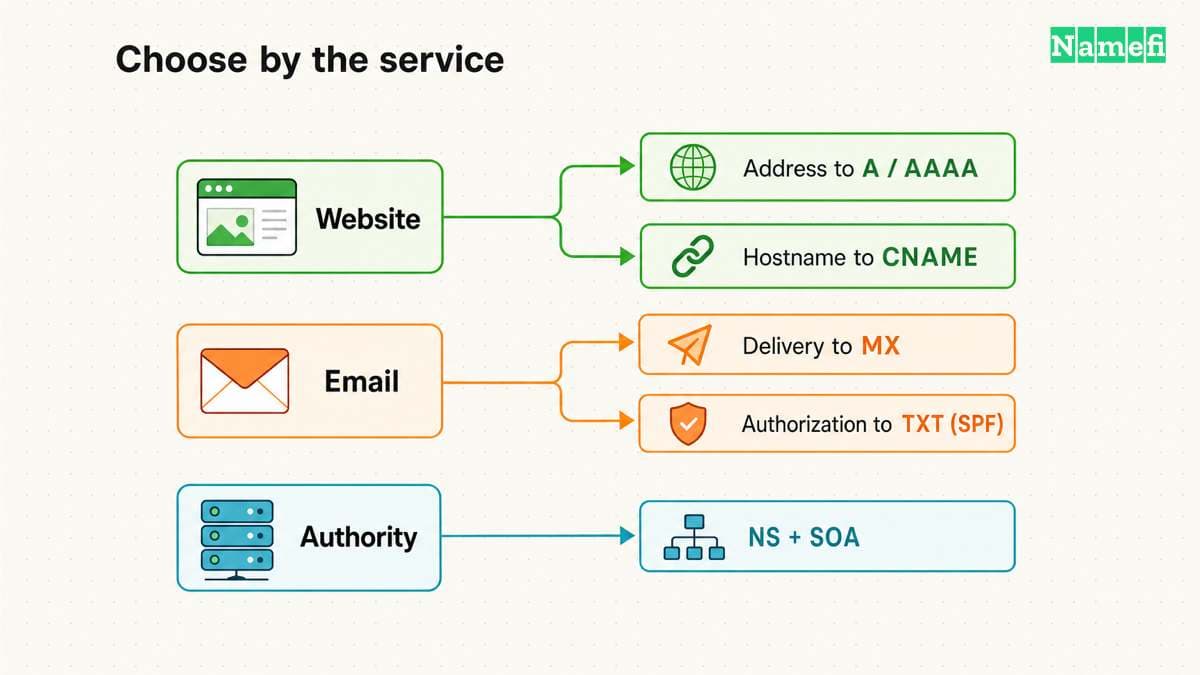
The record type must match the question
A name can have several kinds of DNS information. Select the type you need rather than treating an address lookup as a complete DNS inventory. The DNS record guide explains the administrative uses of common types.
| Question | Illustrative command |
|---|---|
| Which IPv4 records does the server return? | nslookup -type=A www.example.com. |
| Which IPv6 records does the server return? | nslookup -type=AAAA www.example.com. |
| Which mail exchangers does the server return? | nslookup -type=MX example.com. |
| Which nameservers does the server report? | nslookup -type=NS example.com. |
| Which TXT records does this name hold? | nslookup -type=TXT example.com. |
Microsoft exposes record selection through its type and querytype settings. The command reference lists those settings. The name matters as much as the type. A DKIM TXT record at a selector name differs from a TXT record at the domain root.
Do not expect one TXT lookup to list every TXT record beneath a domain. Query the exact owner name supplied by the service. Avoid publishing private verification values in a public support request.
An explicit server makes comparisons meaningful
To compare resolvers, repeat the exact query with a different approved server. For example, nslookup -type=A www.example.com. 192.0.2.53 illustrates the syntax for a selected server. The address belongs to a documentation range and does not identify a usable public resolver.
Keep the name and record type fixed. Record the returned data, server, time, and error. Changing several variables at once makes the comparison harder to interpret.
Microsoft notes a difference between nslookup and the Windows DNS client in some multi-server conditions. Nslookup can fail against the primary configured DNS server while the Windows client uses other servers. The client troubleshooting guide describes the case.
Therefore, a failed command does not automatically prove that the browser's resolution path also failed. Browser DNS settings, system policy, and VPN context can require separate investigation. As practical guidance, preserve both the command result and the original application symptom.
To avoid hand-editing shell quoting, use Namefi's DNS command generator. Choose your shell, select nslookup, and keep the name and type constant across the listed resolver choices. Copy and execute each command locally. The page generates commands rather than running the comparison.
Reply categories distinguish absence from failure
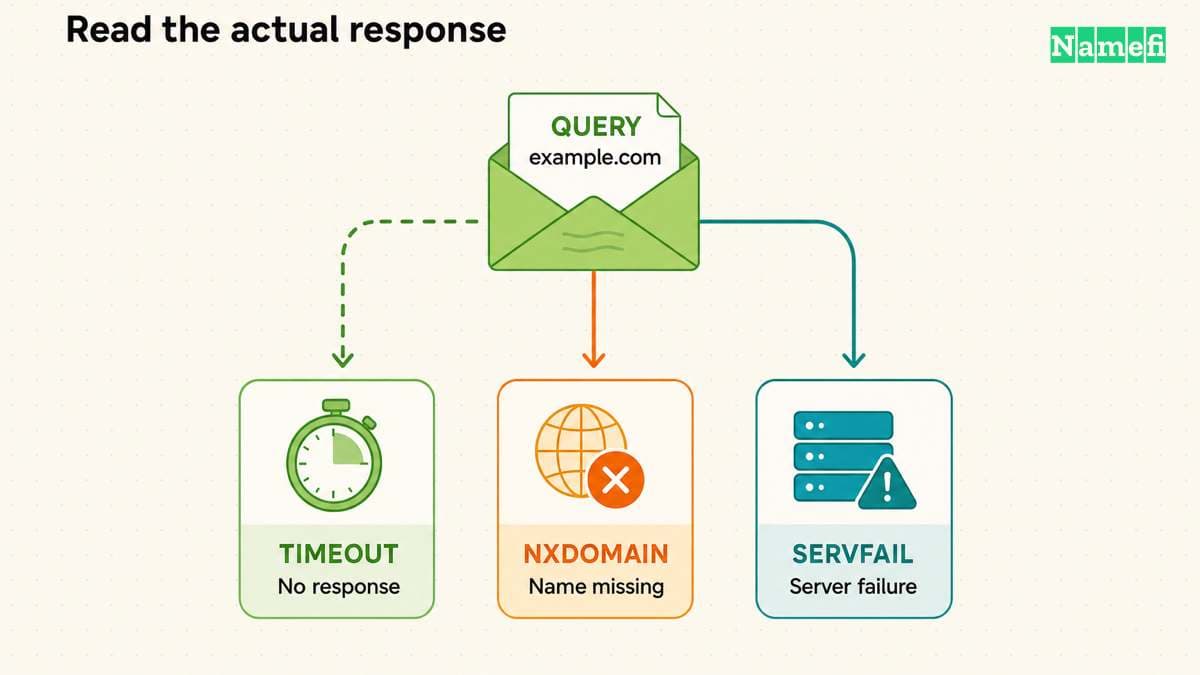
Read the complete result before changing a record. Microsoft documents separate messages for a timeout, missing records, a nonexistent domain, refusal, and server failure. The nslookup reference explains those results.
“No records” means the server lacks the requested type for a valid name. “Nonexistent domain” describes a missing name. A timeout means the tool received no response within its retry and time limits. These observations support different investigations.
A server label that lacks a friendly name does not invalidate an otherwise useful answer. Focus on the selected server address, the requested query, and the response. If reverse naming of the DNS server itself matters, investigate that separate name-resolution question.
When the tool reports a refusal, confirm that you selected the intended server and an allowed query. An authoritative service need not provide general recursive resolution. DNS distinguishes authoritative service from resolver behavior. RFC 1034 explains those roles.
Authoritative checks answer a narrower question
A recursive resolver can return cached information. An authoritative server supplies information for zones it serves. Comparing those views can help investigate a recent change, but one successful authoritative query cannot demonstrate that every cache has refreshed. RFC 1034 describes cached and authoritative data.
Identify the authoritative service from the domain's delegation and provider configuration. Then ask that service for the exact record. Do not guess the server address from an unrelated website address.
If you need explicit recursion controls or detailed DNS headers, choose the tool and documentation that expose those settings clearly. The DNS lookup guide presents a record-inspection workflow. Keep the current guide focused on nslookup command use.
A useful transcript ends with the application result
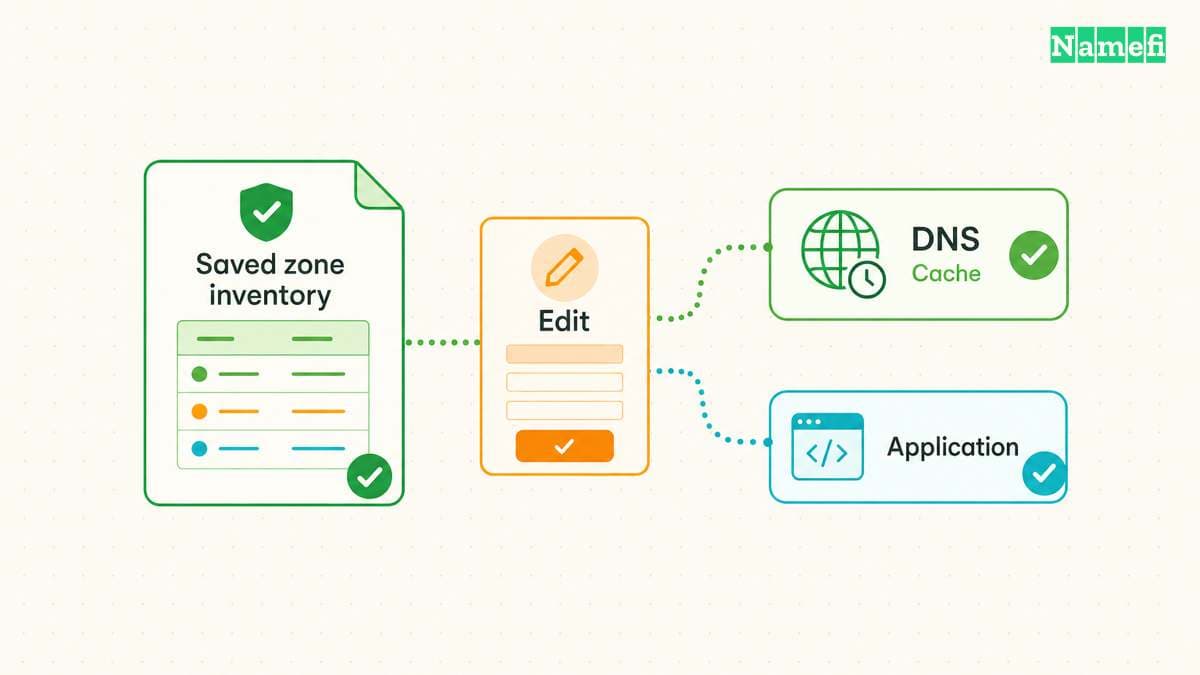
After an authorized DNS correction, rerun the same command. Then repeat the original application action. A DNS answer establishes an observation about name resolution. The application retest establishes whether the user-facing problem remains.
For support, provide the command, platform, selected DNS server, UTC time, response, and application symptom. Redact private network details when the recipient does not need those details. The next investigator should be able to repeat the same question without reconstructing hidden settings.
Example names use reserved documentation domains. Example IPv4 addresses use the documentation range.
Sources and further reading
Microsoft defines nslookup arguments
Microsoft Learn: nslookup. Checked 2026-10-30.
ISC documents BIND nslookup
ISC BIND: dig and nslookup manuals. Checked 2026-10-30.
Microsoft explains client and tool differences
Microsoft Learn: DNS client resolution issues. Checked 2026-10-30.
RFC 1034 separates authority and resolution
RFC 1034: Domain Names — Concepts and Facilities. Checked 2026-10-30.
RFC 2606 reserves example domain names
RFC 2606: Reserved Example Domains. Checked 2026-10-30.
RFC 5737 reserves example IPv4 addresses
RFC 5737: Documentation IPv4 Addresses. Checked 2026-10-30.
About the author(s)
Fenwei Bian is a software developer in her thirties who spends her working hours in pull requests and her weekends with her hands in soil or sawdust. Years of open source on GitHub taught her that names are interfaces: a good one is clear, honest about what it does, and kind to whoever has to use it next.
She gardens because it rewards patience and punishes wishful thinking, and she does woodwork because a joint either fits or it doesn't. Both habits show up in how she writes about naming — measure twice, check the source, and don't sand over a rough spot and hope no one notices.
For Namefi she writes about how domain markets actually move, the practical trade-offs of tokenizing and flipping names, and picking a domain you'll still be glad you own in twenty years.