Who Owns This Domain? How to Check Public Registration Records
Use ICANN RDAP to inspect public registration records, understand redacted fields, and choose the right contact route.

- domains
- guide
Start with ICANN's registration lookup tool to check a domain's public registration record. Look for registrant information when available, and read redaction notices before drawing an ownership conclusion. ICANN's browser tool uses RDAP, the protocol that replaces WHOIS. ICANN explains the lookup client.
A public record can identify registration services and contact routes without revealing the person behind the domain. The result is evidence about the registration, not a complete investigation of a business or website.
This guide focuses on the registrant question. For protocol and hosting distinctions, use the WHOIS and RDAP guide. This article does not perform a live lookup of a domain you have supplied.
Run the lookup with the domain rather than a full URL
Copy the domain spelling carefully. Remove a page path, query parameters, and protocol prefix. If the address is a subdomain, identify the registered domain before looking for the registration record.
For example, a documentation address might contain www.example.com/about. The registration question concerns example.com. IANA maintains example domains for documentation, so this example does not identify a domain available to buy. Read IANA's reservation note.
Use the public tool:
- Open ICANN Lookup.
- Enter the exact domain name.
- Request the record.
- Save the query time and full domain spelling.
- Read the public fields and any notices.
ICANN maintains a free browser-based RDAP client. Its user documentation confirms the service. If a tool fails, save the error rather than interpreting the failure as an unregistered domain.
For an extension whose authoritative service uses another lookup route, follow that registry's published instructions. Avoid assuming that every extension exposes the same fields or privacy behavior.
Read registration fields according to their actual role
Several organizations can appear near a domain. The labels matter:
| Field or role | Useful interpretation | Conclusion to avoid |
|---|---|---|
| Registrant | Registered holder information, when public | Every displayed contact is the beneficial owner |
| Registrar | Provider managing the registration | The registrar necessarily owns the customer's domain |
| Nameservers | DNS delegation information | The nameservers necessarily identify the website's business owner |
| Creation date | A registration event in the current record | The current holder necessarily acquired the name on that date |
| Expiration information | A registration lifecycle field | The domain will necessarily become available then |
| Domain status | An operational registration condition | A complete explanation of a commercial dispute |
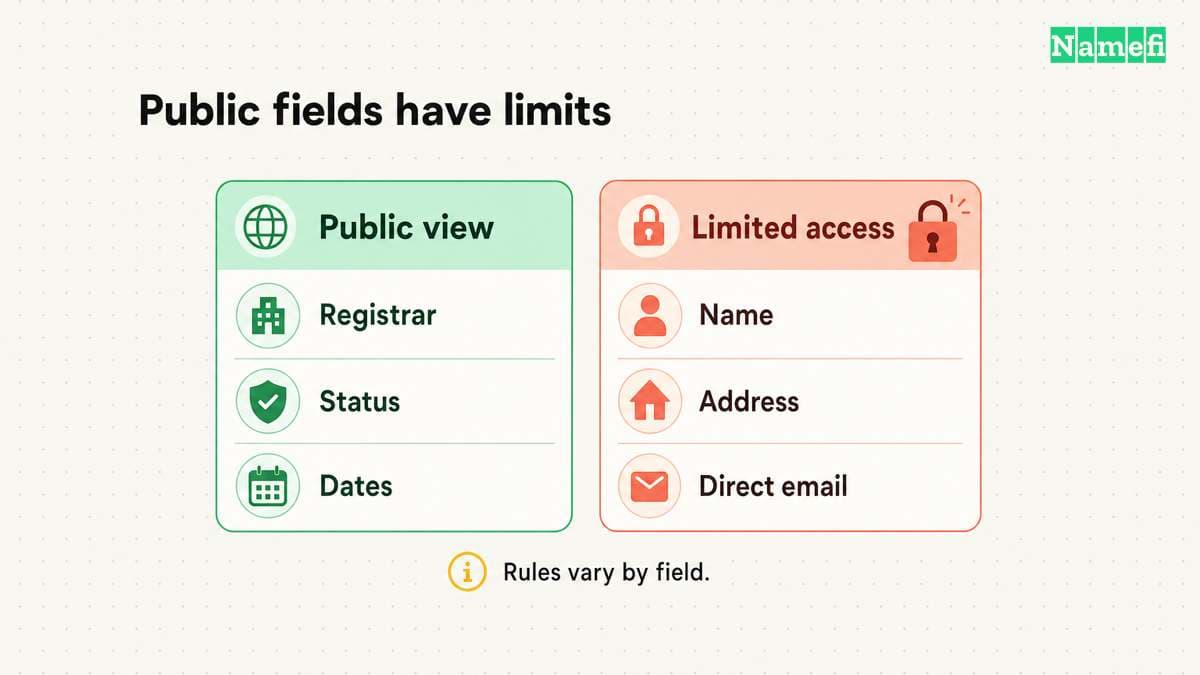
ICANN's Registration Data Policy specifies public fields including registrar, creation date, expiration fields, and status. The policy treats contact data separately and permits or requires redaction under stated conditions. Read the publication and redaction sections.
Use the table as interpretation guidance. If the record does not state when a current holder acquired the domain, label that acquisition date unknown. Do not substitute the creation date.
Compare the registrar field with the relevant registrar's official domain support route when the task concerns your own account. Keep a copy of the record with the provider response.
Redaction and proxy data limit what a public lookup can establish
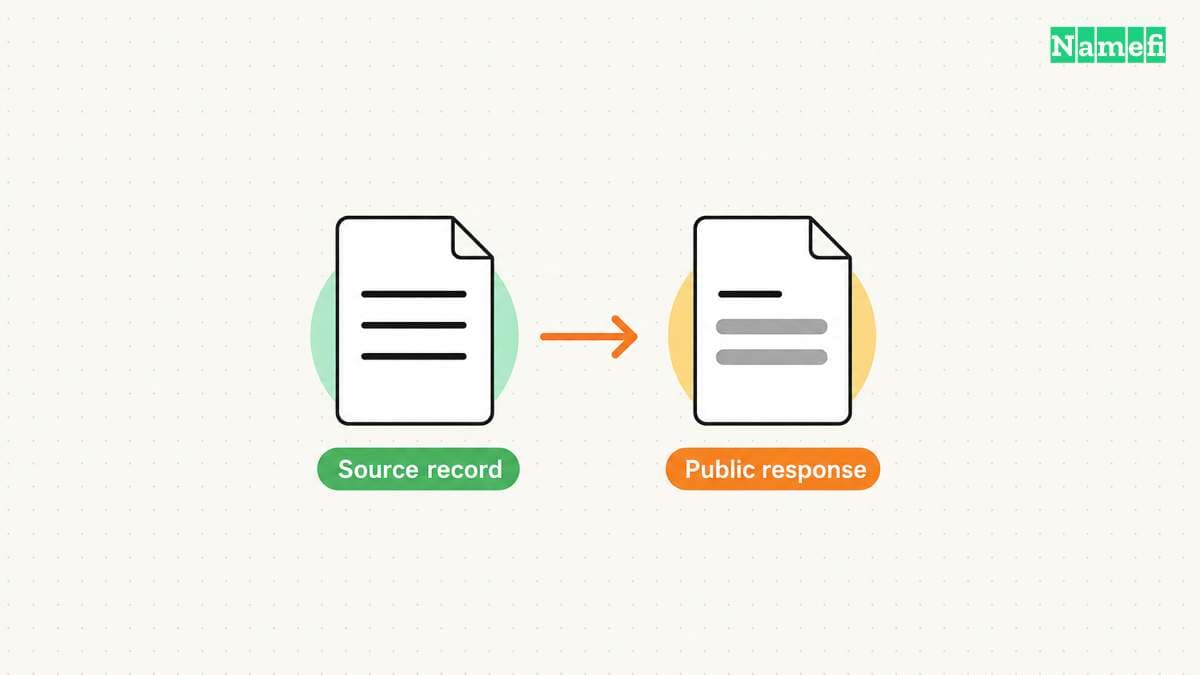
Redaction means the public response omits a data value. Under ICANN's policy, covered redaction also identifies the value as redacted. The policy defines that treatment.
A privacy or proxy provider can appear in the public data. ICANN's policy requires publication of the affiliated or accredited service's registration data for registrations using that service. Read the privacy and proxy provision.
Do not treat that service's name as proof that the service is the customer operating the website. Equally, do not treat a redacted name as proof of wrongdoing. The public record alone does not resolve either question.
For your notes, distinguish three results: a public registrant value, a privacy or proxy service, and an unavailable or redacted registrant value. Keep uncertainty visible instead of filling a blank with a company name found elsewhere.
If the website lists a business name, record the website statement separately. A website claim and a registration field come from different sources. A match may support further inquiry, but a mismatch needs investigation rather than an automatic accusation.
Choose a contact route that fits the purpose
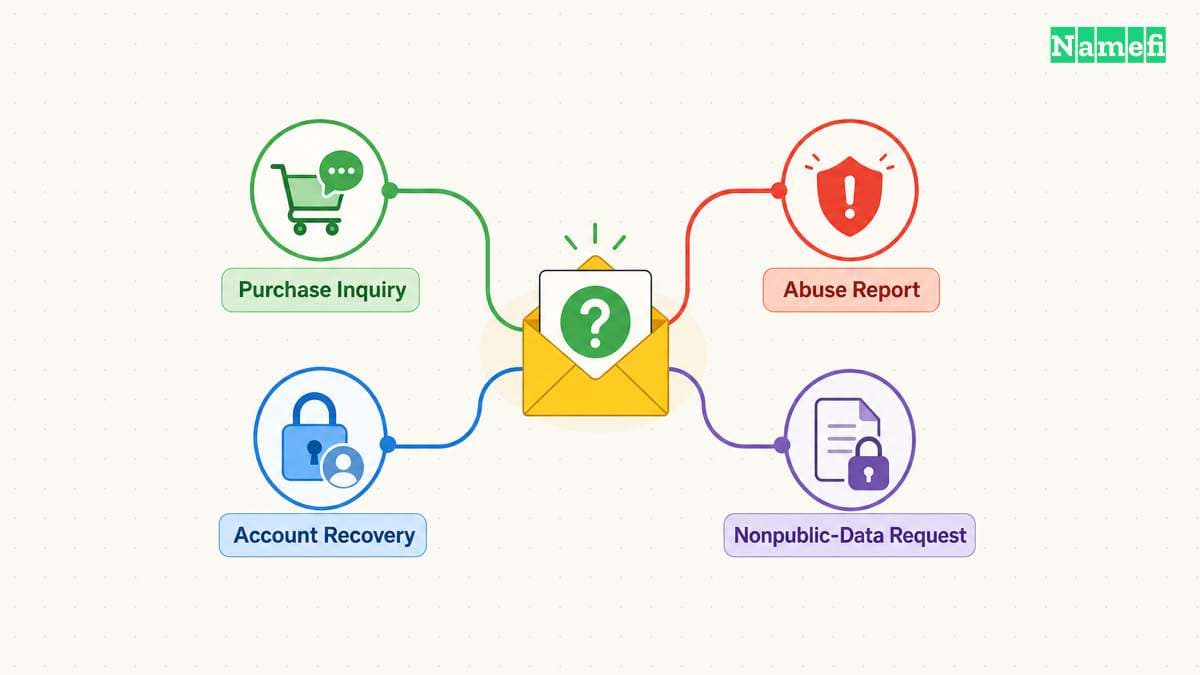
For a purchase inquiry, use a listed sales route or the registrar's registrant contact mechanism. Send a specific, relevant inquiry and keep the response. A lookup does not guarantee a reply or establish that the holder wants to sell.
ICANN's policy requires a contact email or web form for covered redacted email fields. The mechanism facilitates communication without exposing the underlying contact. Read the relay requirement.
For a registration account problem, contact the registrar through its official support process. For suspected abuse, use the published abuse contact and provide the relevant evidence. Do not assume the registrar operates the website content.
For a legitimate need for nonpublic gTLD registration data, review ICANN's RDRS request route. ICANN describes RDRS as a standardized process that sends requests to participating registrars. Read the service scope. A request route does not promise disclosure or authorize inventing missing identity information.
Preserve evidence without overstating ownership certainty
Keep the full domain, lookup time, tool, visible fields, and source links. Preserve the exact wording of privacy and redaction notices. Avoid copying personal information into a public report unless the task requires that publication.
When a decision depends on the seller's authority, ask the transaction provider to verify control through its supported process. A public lookup screenshot alone should not complete that commercial verification.
If the public record does not reveal the registrant, the accurate result is limited: the lookup identified the registrar and available contact route, while the holder's identity remains undisclosed. Use that result to choose the next action.
For a domain purchase, continue with the domains-for-sale buying guide. For your own renewal, open the registrar account and confirm the registration there. Keep the public record as supporting evidence, and use the correct provider process for the action you need.
Sources and further reading
ICANN explains its browser lookup client
rdap official source — fetched 2026-10-30 UTC.
ICANN specifies publication and redaction boundaries
privacy official source — fetched 2026-10-30 UTC.
ICANN routes nonpublic data requests
rdrs official source — fetched 2026-10-30 UTC.
IANA reserves example domains for documentation
examples official source — fetched 2026-10-30 UTC.
About the author(s)
Fenwei Bian is a software developer in her thirties who spends her working hours in pull requests and her weekends with her hands in soil or sawdust. Years of open source on GitHub taught her that names are interfaces: a good one is clear, honest about what it does, and kind to whoever has to use it next.
She gardens because it rewards patience and punishes wishful thinking, and she does woodwork because a joint either fits or it doesn't. Both habits show up in how she writes about naming — measure twice, check the source, and don't sand over a rough spot and hope no one notices.
For Namefi she writes about how domain markets actually move, the practical trade-offs of tokenizing and flipping names, and picking a domain you'll still be glad you own in twenty years.