Vibe Coding Needs a Domain: Register Without Leaving Flow
Many vibe-coded apps deploy to a hosting-platform subdomain. How the same agent that built your app can name it and register a domain without breaking flow.


- ai-agents
- domains
- guide
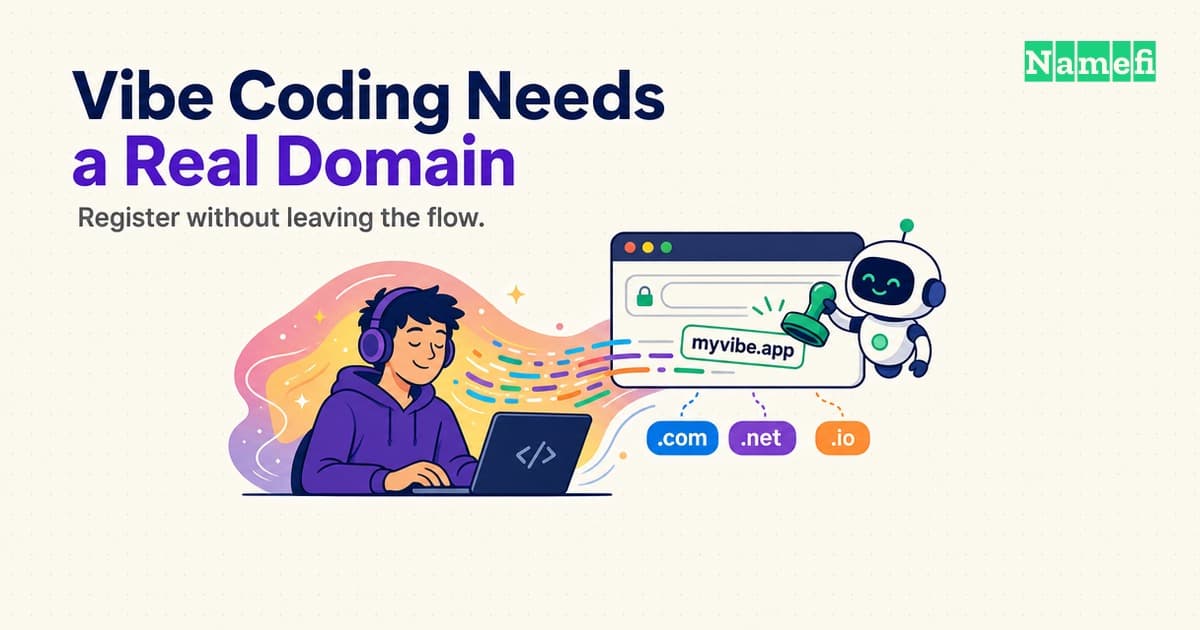
You typed a prompt, watched the file tree fill in, and thirty seconds later a live URL showed up in the chat. That's the whole appeal of vibe coding: the gap between "I have an idea" and "there's a working thing on the internet" has collapsed to about the length of a coffee break. Except the URL you're looking at ends in something like my-app-a3f9.vercel.app or my-app.lovable.app — a platform subdomain, not a name you'd put on a business card. Getting from there to a domain you actually own is where the flow usually breaks, and it doesn't have to.
What "vibe coding" actually means
If you're not already fluent in the term: Wikipedia defines vibe coding as "a software development practice assisted by artificial intelligence (AI) where the software developer describes a project or task in a prompt to a large language model (LLM) which generates source code automatically." The defining trait isn't just that AI writes the code — plenty of older tools did that with autocomplete — it's that you often accept what comes back and iterate by describing the next change in plain language, rather than reading every line the model produced. Former Tesla AI lead and OpenAI co-founder Andrej Karpathy coined the term in February 2025, and it caught on fast enough that Merriam-Webster flagged it as trending slang within a month and Collins English Dictionary later named it a word of the year.
None of that is a knock on the practice. Describing what you want and getting a running app back is a genuinely new way to build, and the tools built around it — Cursor, Lovable, Replit, bolt.new, v0, Claude Code — have gotten good enough that a working prototype is no longer the hard part. The hard part, or at least the part that still looks like 2015, is everything downstream of "it works": naming it, and putting a real address on it.
The last mile: from platform subdomain to your own domain
Hosting platforms commonly let you ship first to a subdomain of the platform's own domain, then configure a custom domain later. Editors and coding agents such as Cursor or Claude Code do not themselves host every app, so the exact deployment URL comes from the hosting service used by the project. A platform subdomain is useful for testing, but it may be less memorable than a domain you control.
Registering the real domain is a small task in absolute terms — a name search, a purchase, a couple of DNS records — but it's the one step in the whole vibe-coding loop that traditionally happens somewhere else entirely.
Why leaving the editor breaks the flow
Here's the actual friction, and it's not that domain registration is hard. It's that it's elsewhere. To register a domain the traditional way, you stop the conversation you're having with your coding agent, open a browser tab, land on a registrar's homepage, run a name search, get shown three upsells for privacy protection, email hosting, and a website builder you don't need, work out which checkbox to uncheck, pay, and then — this is the part generic domain guides skip — figure out which DNS record your specific hosting platform wants, go find that value in a different dashboard, and paste it into a third tab.
That's not one task, it's five, spread across three different products, none of which know what you just built or what platform you deployed it to. Each context switch has a real cost: you lose the thread of what you were doing, and there's a nonzero chance you come back an hour later having gotten distracted by something in one of those other tabs. For a five-minute task, that's a lot of overhead.
Register it without leaving the chat
The fix is to treat the domain the same way you already treat the deploy: as another tool call inside the same conversation, not a separate errand. The agent that scaffolded your app and pushed the deploy already has the context — the app's name, the platform it's running on — so it's the right tool to also check a name, register it, and wire the DNS.
Condensed to the essentials, the flow is three steps:
- Ask the agent to check the name. "Is
myapp.comavailable?" is a read-only call and does not spend funds. The current live MCP endpoint still requires the session to authenticate during initialization, using OAuth or an API key. - Confirm and register. "Register it for a year" submits the order; the agent watches it until it's done.
- Point it at your deploy. Give the agent the exact DNS records your hosting platform asks for, and it writes those supported records into the Namefi-managed zone. Record types and values vary by host; do not assume every apex uses an A record or every subdomain uses a CNAME. The current Namefi MCP/API flow described here does not expose parent-zone nameserver delegation changes.
That's the shape of it; the exact mechanics — which config file each editor reads, the literal DNS values Vercel and Cloudflare Pages ask for — are already spelled out step by step in Namefi MCP Quickstart: Claude Code, Cursor & Windsurf, so this piece won't repeat them. If you're coding in something other than those three editors — OpenAI Codex, Gemini CLI, Claude Desktop, or anything else that speaks MCP — How to Register a Domain with Your AI Agent on Namefi is the hub with a verified setup for each one, plus a raw REST path for anything that isn't MCP-native at all.
Let the agent brainstorm names too
The naming step deserves its own mention, because it's usually as much of a loop-breaker as the checkout is. The traditional version: think of a name, tab over to a registrar, discover it's taken, think of another one, tab back, repeat until something sticks or you give up and add a number to the end.
Namefi's API exposes a bulk availability check — the same namefi.io/llms.txt reference every agent reads describes it as a way to "screen many names at once" — so instead of testing candidates one at a time, you can hand your agent a whole shortlist and get back which ones are actually free in a single round trip. In practice that turns naming into one prompt: "the app is a habit tracker called Streaky — check streaky.com, streaky.app, getstreaky.com, and streaky.io, and tell me what's available." The agent runs the batch, reports back, and you pick from names you know you can actually have, instead of falling in love with one that's already registered.
A worked example: from prompt to live URL
Say you spent an afternoon vibe coding a small tool — a shared grocery list app, something you built because the existing ones annoyed you. It's live at a platform subdomain, it works, and a couple of friends want the link. Here's the whole rest of the session, in the same chat window:
You ask whether cartly.app is free. It is. You say "register it for a year and point it at what we just deployed." The agent submits the registration, polls until it's done, then asks your hosting platform (through its own dashboard, one glance) what DNS record it wants for the domain you just bought — an A record, in this case, since you're using the apex domain rather than a www subdomain. You paste that value back, the agent writes the record, and a few minutes later — DNS needs a little time to propagate — cartly.app resolves to the exact app your friends already have open in another tab. Total time away from the editor: zero. Total tabs opened that weren't already part of building the app: zero.
Frequently Asked Questions
Do I need to know DNS to do this?
No more than you need to know how a database index works to use one. Your agent asks the hosting platform which record it needs and writes it; you're mostly confirming values, not composing them by hand.
Does this work with any vibe-coding platform, or only specific ones?
The registration and DNS side is platform-agnostic — it's a domain and a DNS record, which work the same regardless of what built your app. What varies is which record type your hosting platform asks for, which Namefi MCP Quickstart covers for Vercel and Cloudflare Pages specifically.
Is the domain I register this way tokenized?
For the documented /v-next registerDomain flow, Namefi mints the domain token to the designated receiving wallet on its supported chain. Check the current documentation for the exact registration and payment path you use rather than assuming every path has the same default wallet or chain. The registrar, registry, policy, agreement, dispute, and legal layers remain in addition to the token-control layer.
What if the exact name I want is already taken?
That's what the bulk availability check above is for — hand your agent several candidates (TLD variations, prefixes, synonyms) instead of testing them one at a time, and let it report back what's actually free.
Do I need a Namefi account before trying this?
You do not need funds for an availability check, and a compatible MCP client can authenticate with OAuth rather than a static API key. Although the underlying availability REST operation is documented as public, the live MCP endpoint returned 401 Unauthorized to an unauthenticated initialize request when verified on July 14, 2026.
Ship the name with the flow you're already in
The domain is an infrastructure decision like picking a hosting platform. OAuth may open a browser once for authorization; after that, the registration and DNS-record workflow can continue in the coding-agent conversation. The next time an agent hands you a working app on a platform subdomain, ask it to check a name.
Use OAuth in a compatible client or generate a Namefi API key, then try it on what you're building now. For the full walkthrough, see Namefi MCP Quickstart: Claude Code, Cursor & Windsurf.
Sources and further reading
- Wikipedia — Vibe coding (definition, Andrej Karpathy's February 2025 coinage, adoption timeline)
- Namefi — namefi.io/llms.txt (bulk availability endpoint, MCP server URL, registration and DNS reference)
- Namefi — MCP discovery descriptor (OAuth and API-key authentication metadata; its anonymous-read claim differed from live
initializebehavior on July 14, 2026) - Namefi — Namefi MCP Quickstart: Claude Code, Cursor & Windsurf (per-editor config, the full five-step flow, Vercel and Cloudflare Pages DNS steps)
- Namefi — How to Register a Domain with Your AI Agent on Namefi (setup for Codex, Gemini CLI, Claude Desktop, and the raw REST path)
- Model Context Protocol — modelcontextprotocol.io (protocol overview)
Contributors
Aileen Wright is a student in her twenties living in New York City, where the distance between a museum wall and a library reading room is a short walk and a long afternoon. She came to name writing through art and history — the way a single portrait, coin, or manuscript margin can carry a name across centuries and change its meaning on the way.
Most weeks you can find her in Central Park with a paperback, or in the quiet of a public reading room chasing down where a name actually comes from rather than what a name-list says it means. She is also teaching herself to code, which has made her oddly precise about spelling, sorting, and the small details that decide whether a name ages well.
For Namefi she writes about the history and culture behind domain names, the stories brands carry as they rename, and the difference between a good story and a verified source.
Victor Zhou is a technology founder and standards editor focused on digital identity and trust. He founded Namefi, edits Ethereum Improvement Proposals, and previously led smart-contract architecture work at Google Labs.
His work sits at the intersection of naming, ownership, and the systems people use to establish identity online. That perspective makes him especially interested in the way names move between personal meaning, public recognition, and digital infrastructure.
For Namefi, Victor edits and writes about domains as durable digital identity: how names become ownable onchain assets, how tokenization changes custody and trust, and what naming can learn from the systems people use to establish identity online.