Who Hosts This Website? How to Find the Provider Behind a Domain
Identify a website’s registrar, DNS provider, public network, and likely web host. Learn when a proxy prevents a conclusive public lookup.

- domains
- guide
To find a website’s hosting provider, begin with account and billing records if the website belongs to you. For a public investigation, check domain registration, DNS, and IP registration separately. A WHOIS result can identify the registrar without identifying the web host. Google explains how to find the registrar.
A public address can also belong to a reverse proxy. Cloudflare documents that proxied DNS records return Cloudflare addresses instead of origin addresses. Cloudflare explains the proxy boundary. A correct investigation may therefore end with “origin host unknown.”
The question determines which provider matters
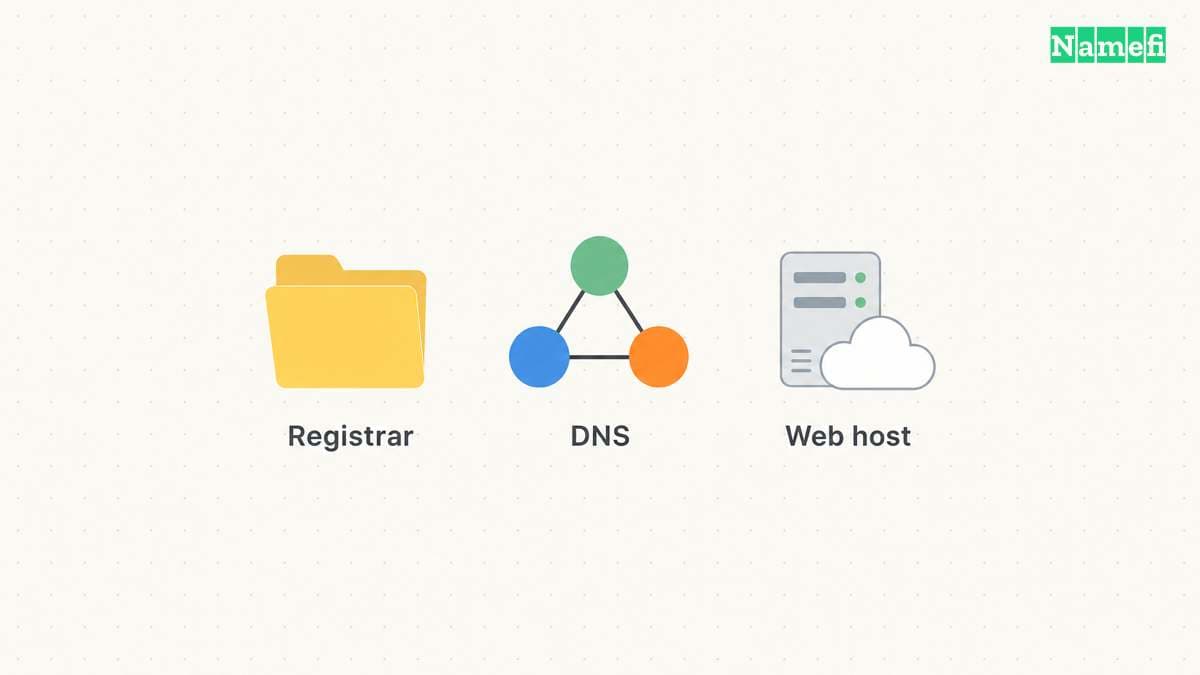
“Who hosts this website?” can mean several things. The provider that sends a renewal invoice might differ from the provider that serves the application. The provider that manages DNS might differ from both.
Use this working distinction:
| Role | Useful evidence |
|---|---|
| Registrar | Registration result and domain invoice |
| DNS provider | Active nameservers and zone account |
| Public network | Registration record for the returned IP address |
| Reverse proxy | Proxied DNS and the proxy account |
| Origin host | Hosting account, deployment records, or provider confirmation |
The table organizes evidence rather than promising that a public tool can identify every role. Google specifically warns that third-party DNS management can differ from the registrar identified through ICANN Lookup. Google describes that exception.
If the goal is to edit DNS, identify the active DNS account. If the goal is to recover site files, identify the hosting or deployment account. Contacting the registrar may help with registration access while leaving the site-recovery task unresolved.
The domain versus hosting guide explains the underlying distinction in more detail.
Account records provide the strongest starting point for your own site
Search billing records for hosting, deployment, site-builder, and domain charges. Google recommends billing records when identifying a domain registrar. The official guide describes that route. Apply a similarly careful account search to the hosting question.
As practical advice, inspect deployment configuration and the organization’s account inventory. Record which account controls the production application. A provider logo in an old email is a lead, not confirmation that the production site still runs there.
Ask the current site administrator to identify the project, deployment, and account owner. Use the organization’s approved access process. Do not ask an administrator to paste passwords or secret deployment tokens into a chat.
Keep domain and hosting recovery work separate. A missing registrar login calls for the registrar’s recovery process. A missing application account calls for the hosting provider’s process. Changing DNS before recovering the application can make a working site unavailable.
Public registration reveals the registrar first
Open ICANN Lookup and enter the registered domain. Review the registrar information. Google’s official procedure uses that exact field and also discusses reseller records. Google explains registrar and reseller identification.
A reseller can explain why the listed registrar name differs from the brand on an invoice. Google recommends inspecting the raw registration response for a reseller entry and contacting the listed registrar when no reseller appears.
Record the registrar finding precisely. “Registrar: Provider A” is clearer than “Host: Provider A” when the only evidence is a registration result.
Next, inspect the active nameservers with a DNS lookup. Treat a nameserver brand as evidence about DNS operation. Verify the actual zone account before editing anything. A custom nameserver label alone should not settle the application-hosting question.
The MXToolbox DNS guide explains how an individual lookup differs from a nameserver health report.
An address lookup identifies the public network
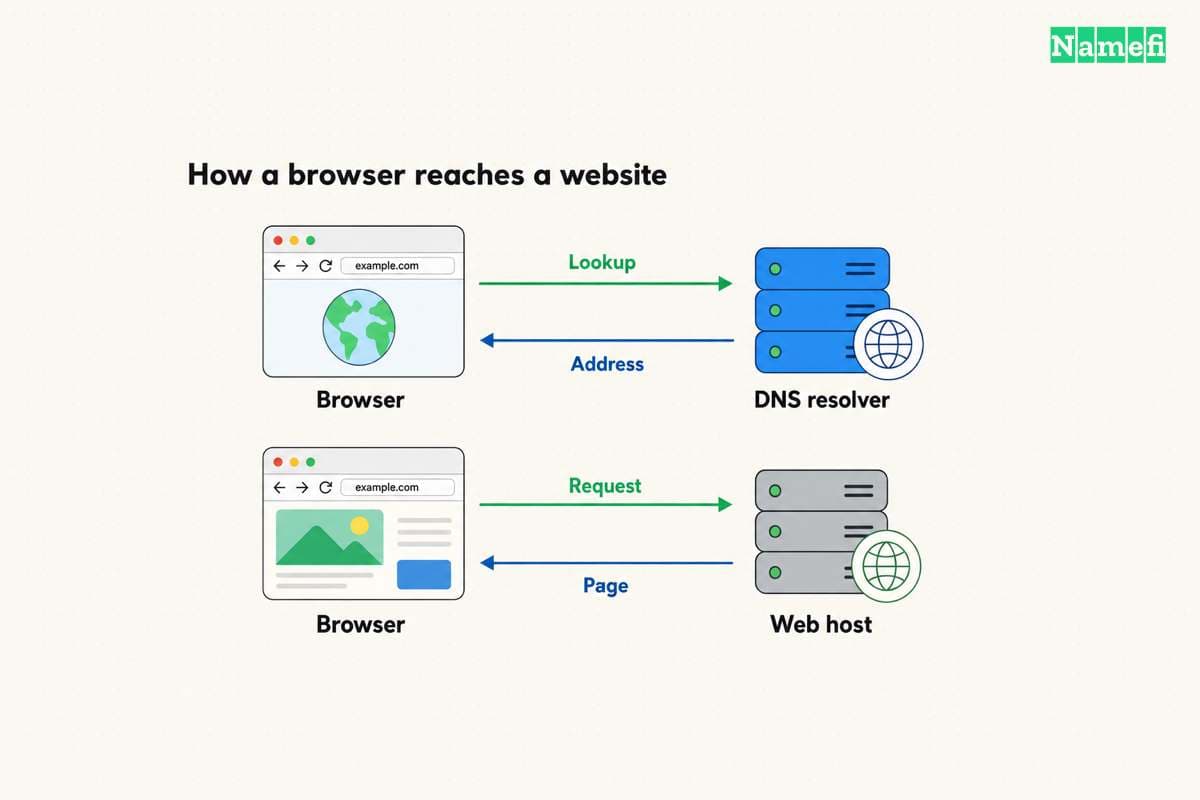
Look up the relevant hostname’s address records. Use the exact hostname that the browser opens. An apex domain and a www hostname can follow different configurations.
Then inspect the returned address through an official registry lookup. ARIN supports IPv4 and IPv6 network searches and documents the related organization and contact records. ARIN explains IP address searches.
The resulting network organization can provide a useful hosting lead. The finding still needs a scope statement. A network allocation can identify infrastructure without identifying a specific account or website publisher.
For example, a hypothetical site might use a registrar for the domain, a DNS provider for the zone, and a proxy for public traffic. The origin hosting account could belong to a fourth service. The example illustrates separate roles and reports no lookup result for a real website.
Query the hostname's A and AAAA records in Namefi's DNS lookup to record the address visible through a selected public resolver. Continue with the network and account evidence described here. A proxy address does not identify the hidden origin host or the customer's hosting account.
A proxy can prevent a conclusive public answer
Cloudflare states that proxying hides the origin address from ordinary DNS lookups. The provider explains the behavior. A public checker that reports Cloudflare has therefore identified the visible proxy network.
Do not attempt to bypass a site’s protection to finish a hosting lookup. For a site that you administer, use the proxy dashboard, authorized deployment records, or the team’s account inventory. For another person’s site, ask the publisher or accept the public evidence limit.
Historical records can also be stale. Treat an old address as historical information unless current authorized evidence confirms the address remains the origin. A technically reachable server does not establish authority to test or access that server.
Finish the investigation with a role-based note. List the verified registrar, DNS provider, and public network. Identify the origin host only when supporting evidence exists. State “unknown” for unresolved roles and name the authorized account or contact that can resolve the next step.
Sources and further reading
Google explains registrar identification
Google explains registrar identification. Supporting passage: “The registrar is usually your domain registrar.” Checked 2026-10-30.
ARIN describes network searches
ARIN describes network searches. Supporting passage: “You can search for a network using its IPv4 or IPv6 address.” Checked 2026-10-30.
Cloudflare separates proxy and origin addresses
Cloudflare separates proxy and origin addresses. Supporting passage: “visitors who look up your domain receive a Cloudflare IP address instead of your origin server's real IP address.” Checked 2026-10-30.
About the author(s)
Fenwei Bian is a software developer in her thirties who spends her working hours in pull requests and her weekends with her hands in soil or sawdust. Years of open source on GitHub taught her that names are interfaces: a good one is clear, honest about what it does, and kind to whoever has to use it next.
She gardens because it rewards patience and punishes wishful thinking, and she does woodwork because a joint either fits or it doesn't. Both habits show up in how she writes about naming — measure twice, check the source, and don't sand over a rough spot and hope no one notices.
For Namefi she writes about how domain markets actually move, the practical trade-offs of tokenizing and flipping names, and picking a domain you'll still be glad you own in twenty years.