Shared Hosting Explained: Is a Budget Plan Enough for Your Website?
Decide whether shared hosting meets your website needs by checking workload, limits, maintenance, backups, and a realistic upgrade path.

- domains
- dns
- guide

Shared hosting gives several customers access to resources on the same server. A provider manages the shared platform, while each customer uses the supported hosting account. Shared hosting can suit a small business website, blog, or personal site when the workload and required software fit the plan. AWS explains shared hosting.
Choose by the application's requirements and the provider's limits. A low advertised starting price cannot establish whether the plan supports your runtime, traffic pattern, recovery needs, or renewal budget. This guide provides a practical evaluation process without inventing a universal traffic limit or a price ranking.
For a concrete provider reference, DreamHost's plan comparison distinguishes shared resources, managed services, and root access. Read the current plan documentation before buying. DreamHost describes its current hosting categories.
The application requirements come before the hosting label
List what the website actually needs. Include the runtime, database, scheduled tasks, storage, email, deployment method, and administrative access. Ask the developer or application vendor for a supported hosting specification.
A simple publication site and a custom application can impose different requirements even when both receive modest traffic. As editorial advice, confirm compatibility with the actual software before comparing storage allowances or promotional terms.
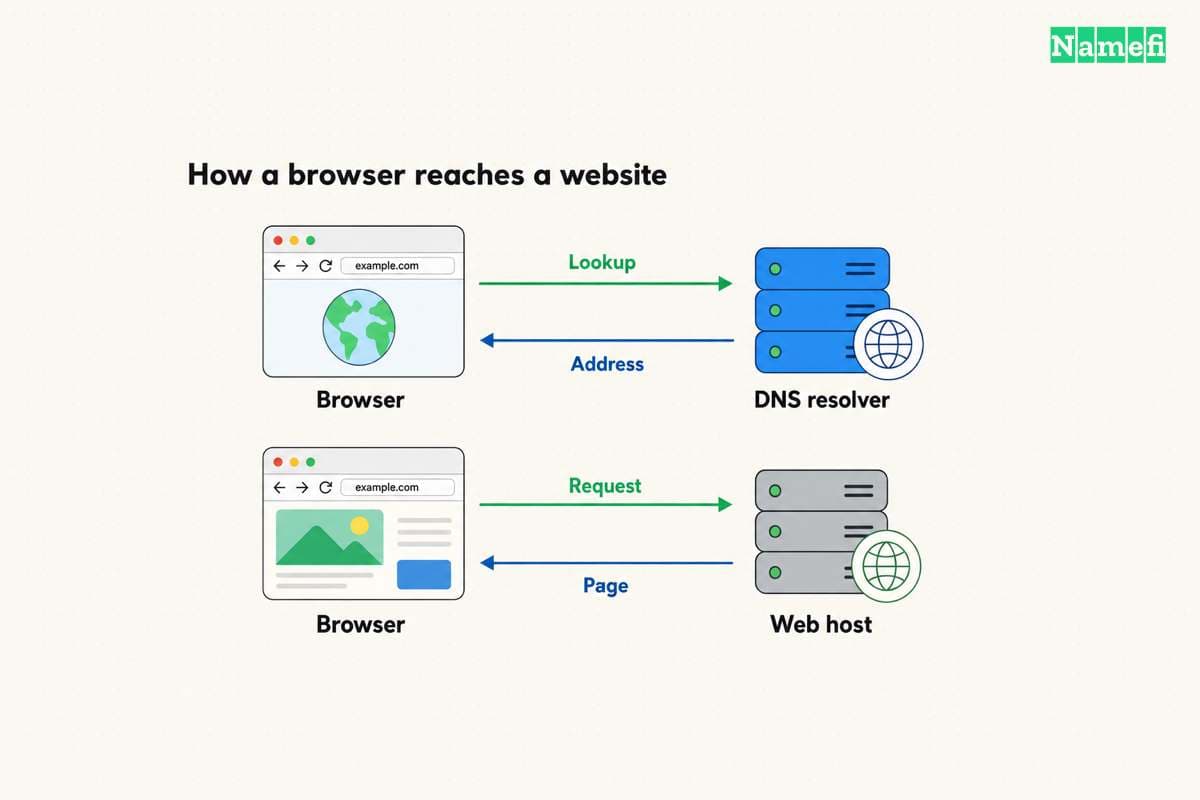
Shared hosting usually provides a constrained environment. AWS explains that customers share resources such as disk space, CPU, and RAM. VPS and dedicated hosting provide different control and resource arrangements. AWS compares the service types.
Provider labels still need inspection. DreamHost distinguishes a managed VPS from a VPS that the customer administers. The service names do not establish who maintains the operating system or which privileges the customer receives. The provider comparison documents those differences.
Shared resources require a workload discussion
Ask how the provider limits CPU, memory, concurrent processes, database use, and file count. Obtain the applicable policy for the exact plan. Do not assume that a plan with ample storage also provides unlimited computation.
DreamHost states that unusually heavy use by another site on a shared server can affect a customer's performance. The statement identifies a shared-resource tradeoff. The statement does not predict how every shared plan will perform. DreamHost describes that possibility.
Use realistic workload evidence when discussing capacity. For an existing website, retain request logs and resource observations from the current service. For a new website, ask the provider how to test the expected application within the available trial or refund terms.
Avoid converting a page-view estimate into a guaranteed capacity number. A cached article and a database-heavy checkout can consume different resources. As practical buying advice, ask what happens when a limit is reached: throttling, a blocked operation, an extra charge, or a required upgrade.
Maintenance responsibilities should appear in the purchase decision
Write down who updates the server platform, application, themes, plugins, and custom code. Also identify who responds to a security incident. The provider's management of shared infrastructure does not answer every application-maintenance question.
Ask the provider which backups the plan includes and what a restore actually covers. Confirm backup retention, restoration access, database consistency, and any charge for assisted recovery. Treat every answer as plan-specific until the contract or documentation confirms the feature.
As operational advice, test a restore before the site becomes business-critical. A backup claim is less useful than a documented recovery procedure that the responsible person can execute. Keep recovery credentials in the authorized credential system.
For an online store or an application with personal data, decide who may access administration, files, and databases. Hosting selection includes an access-control decision. Require individual administrator accounts and appropriate authentication where the platform supports those controls.
The domain and email can remain separate services
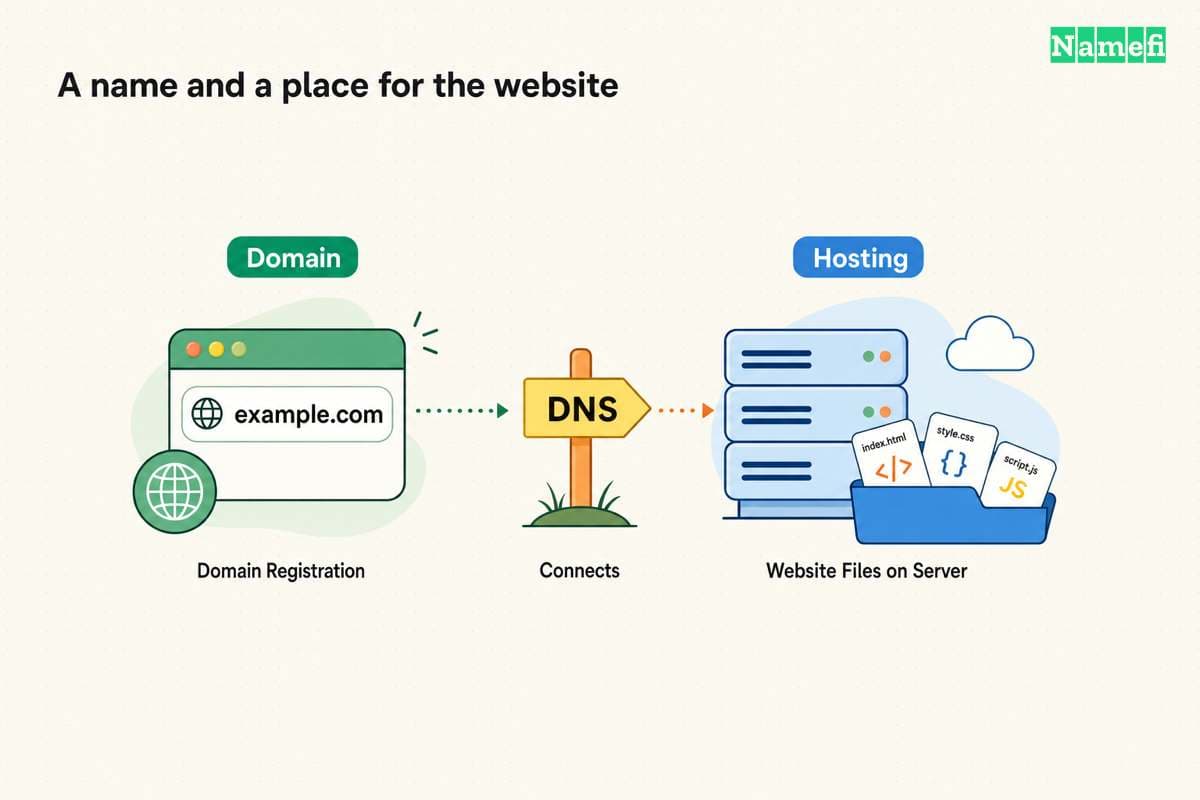
A domain registration names the website. Hosting serves the website. DNS connects names to service information. A hosting purchase does not require those responsibilities to belong to the same vendor. The domain and hosting guide explains the distinction.
DreamHost explicitly describes pointing DNS to its hosting while keeping registration elsewhere. The provider also offers a registration-transfer route. Those are separate choices. The provider's domain question explains both options.
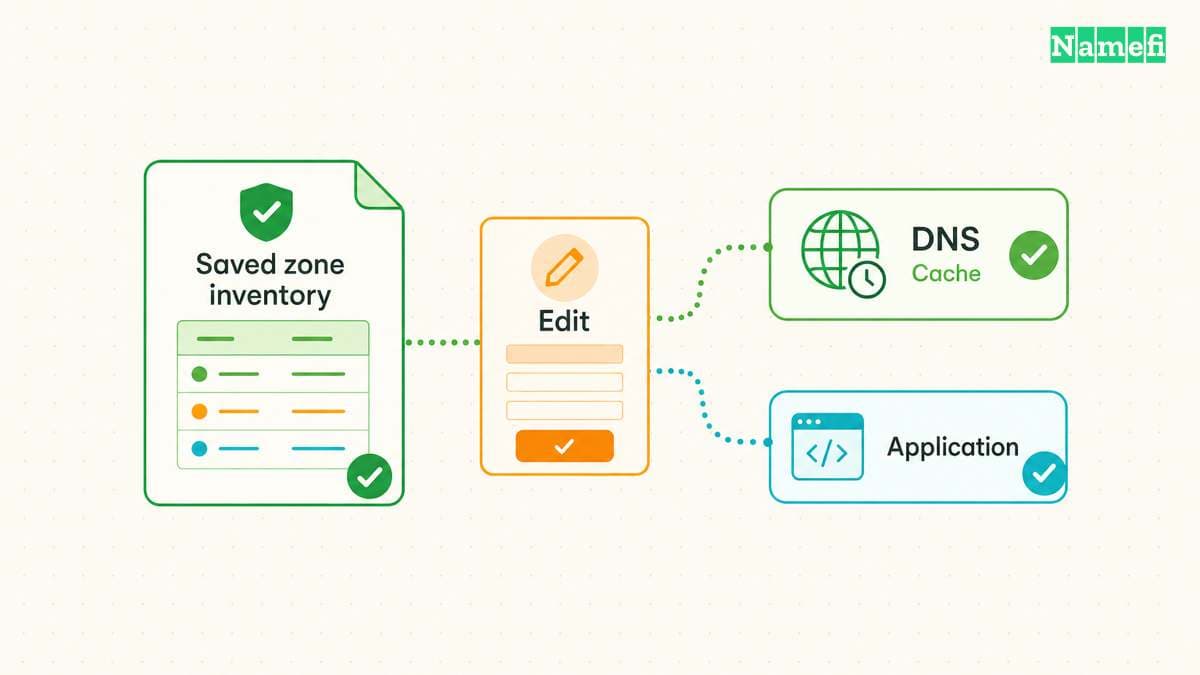
Before changing a domain's nameservers, inventory website, mail, and verification records. As practical migration advice, preserve existing services until the new setup passes acceptance checks. A website migration should not unexpectedly redirect business email.
Ask whether email is included permanently, included for an introductory period, or sold separately. Do not infer the answer from a generic phrase such as “business hosting.” Verify the current plan's exact terms and the address features the organization needs.
The total commitment includes renewal and exit terms
Compare the introductory term, renewal term, billing interval, required prepayment, add-ons, and cancellation process. Use the actual checkout and contract as evidence. This guide deliberately supplies no price table because a reader must verify the selected plan and term.
Keep the comparison in one currency and one billing period. If the provider quotes an effective monthly amount for a longer commitment, retain the actual amount due and the commitment length. Do not confuse a displayed monthly equivalent with monthly billing.
Check migration support and export options before buying. Confirm that the organization can retrieve website files, databases, and configuration through supported tools. As editorial advice, record an exit procedure while account access is healthy.
A small acceptance test makes the choice reviewable
Deploy a representative copy of the application through the supported workflow. Test the important pages, forms, login, email notifications, scheduled work, and database operations. Protect private staging data and restrict staging access when the application requires access control.
Test HTTPS on the exact hostname and confirm the intended domain mapping. Then exercise the backup and restore procedure. Record unresolved compatibility or capacity questions before committing production traffic.
Choose shared hosting when the application fits the environment and the provider's documented limits match the intended use. Choose a different service when the application needs unsupported software, administrative control, or resource isolation. The useful next action is a requirements checklist and a verified plan comparison, not a generic “best host” label.
Sources and further reading
AWS describes shared hosting
AWS: Web hosting service types. Checked 2026-10-30.
DreamHost distinguishes current plan capabilities
DreamHost: Hosting plan comparison. Checked 2026-10-30.
About the author(s)
Fenwei Bian is a software developer in her thirties who spends her working hours in pull requests and her weekends with her hands in soil or sawdust. Years of open source on GitHub taught her that names are interfaces: a good one is clear, honest about what it does, and kind to whoever has to use it next.
She gardens because it rewards patience and punishes wishful thinking, and she does woodwork because a joint either fits or it doesn't. Both habits show up in how she writes about naming — measure twice, check the source, and don't sand over a rough spot and hope no one notices.
For Namefi she writes about how domain markets actually move, the practical trade-offs of tokenizing and flipping names, and picking a domain you'll still be glad you own in twenty years.